Free International Shipping. No Minimum Purchase Required*

How to find us  |  Gift vouchers

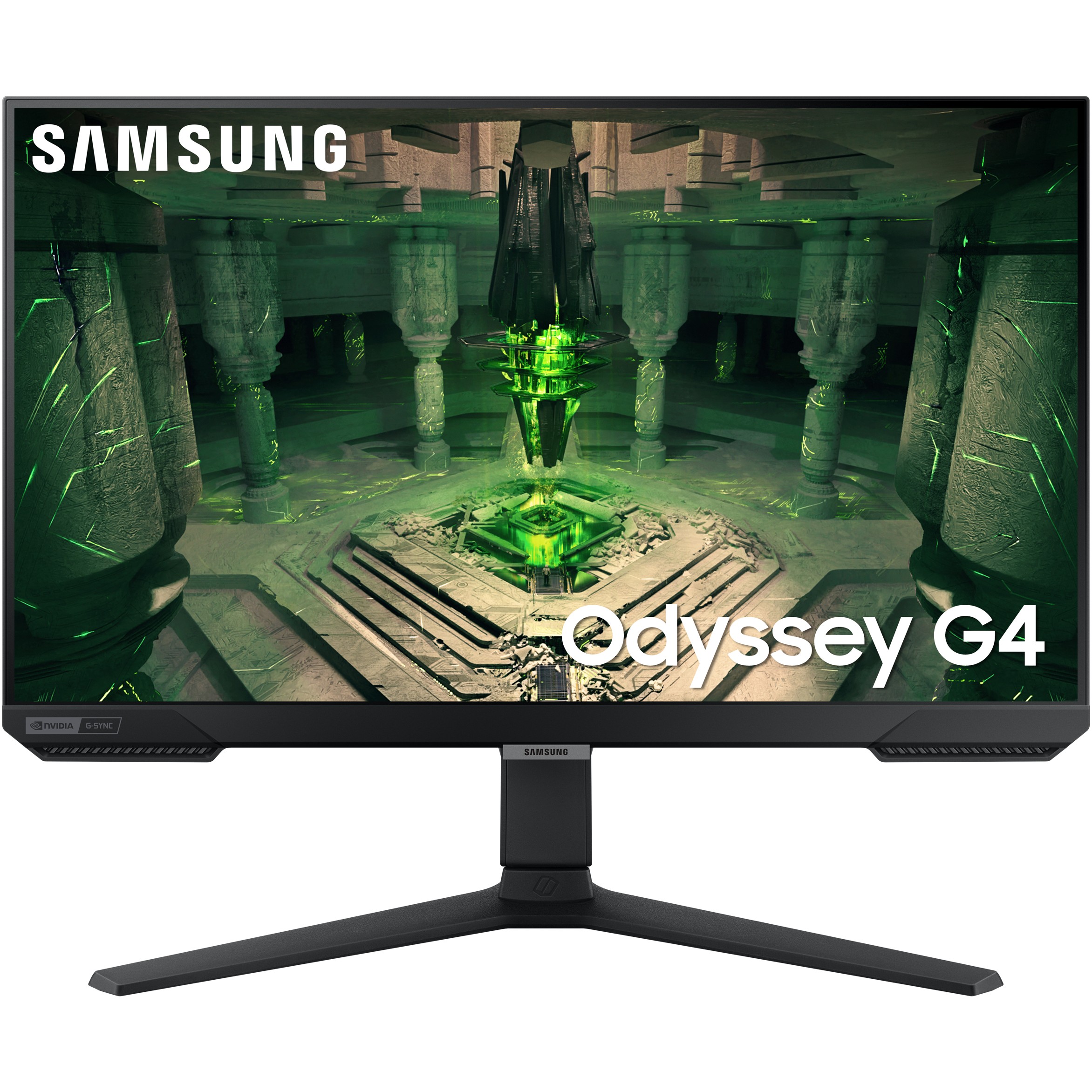
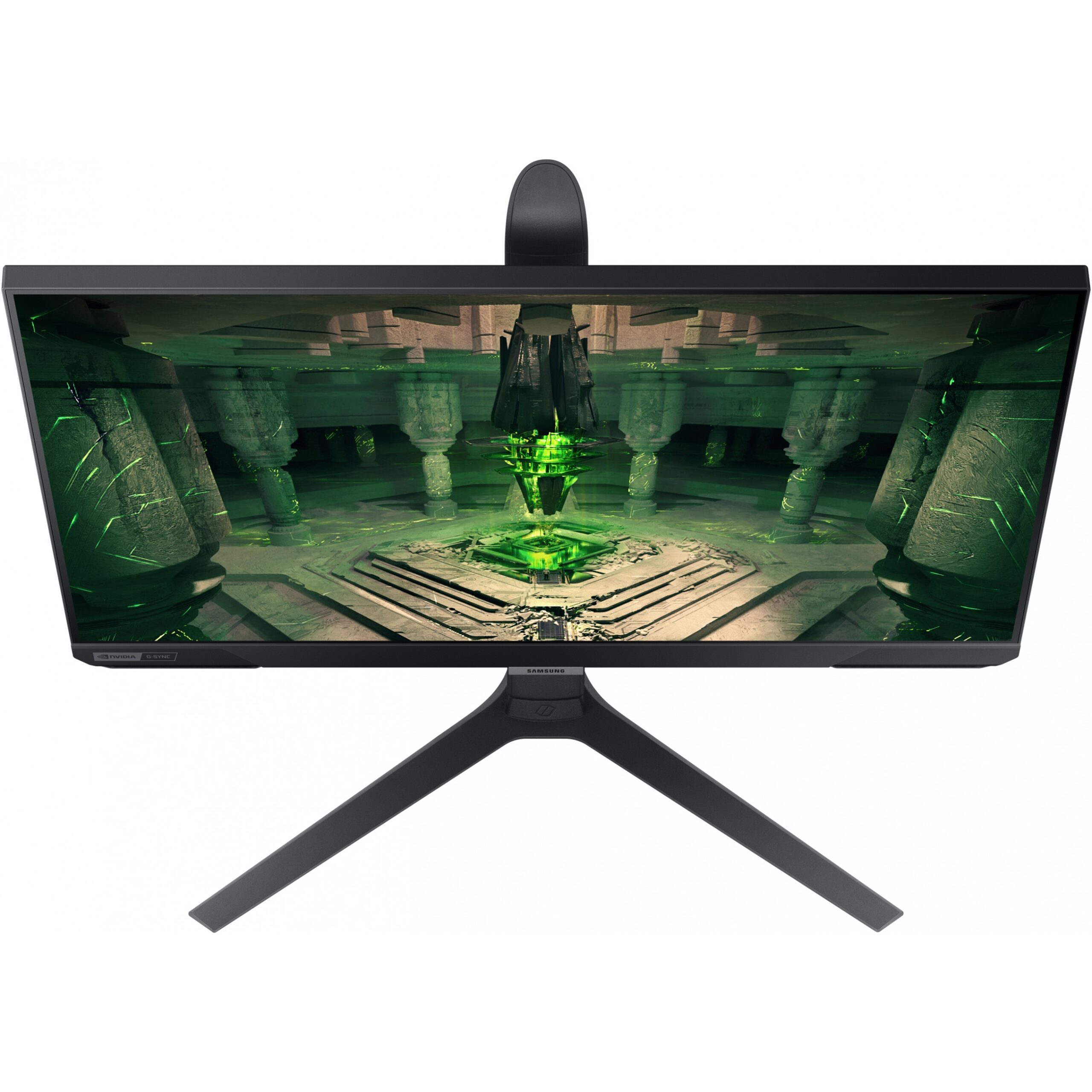
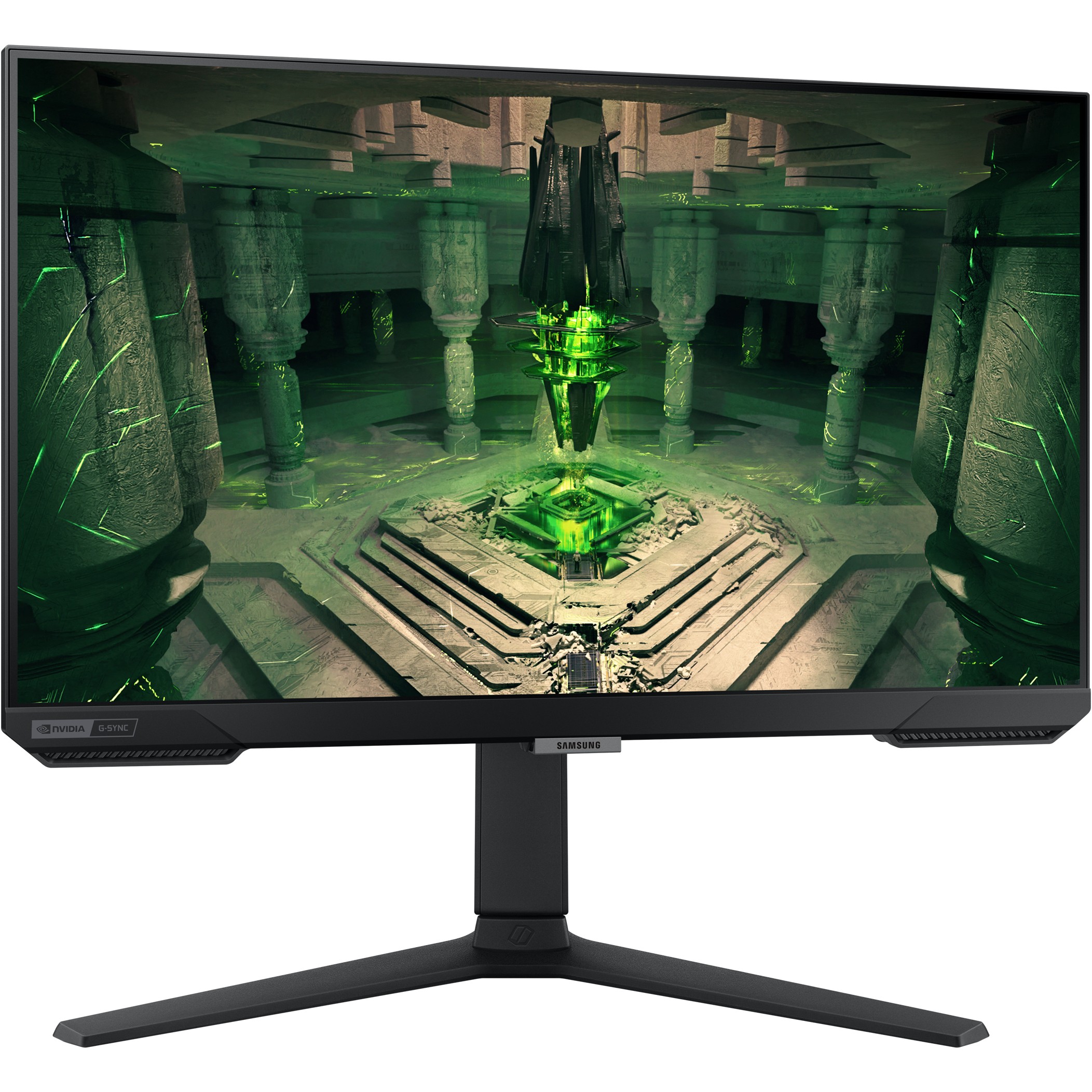
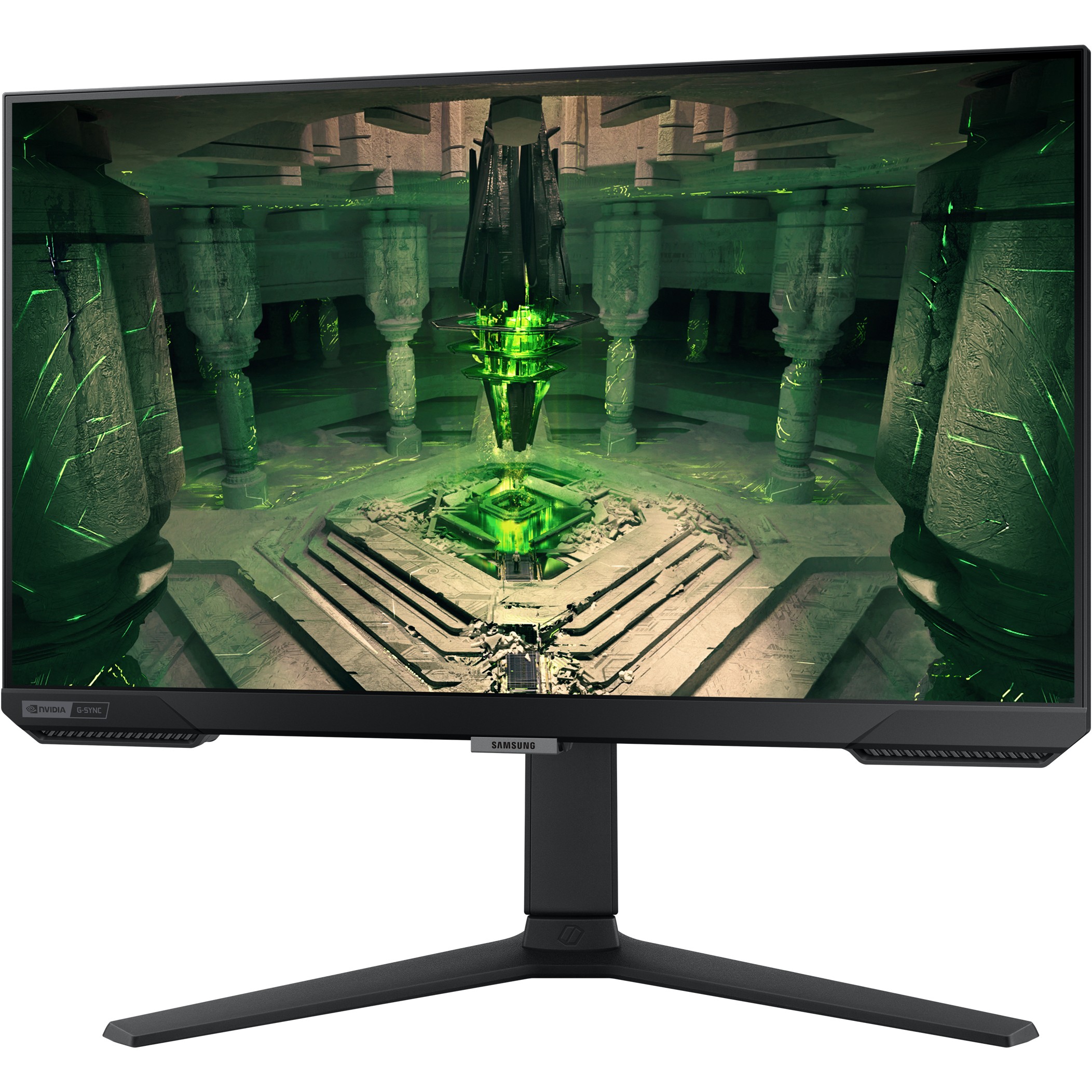
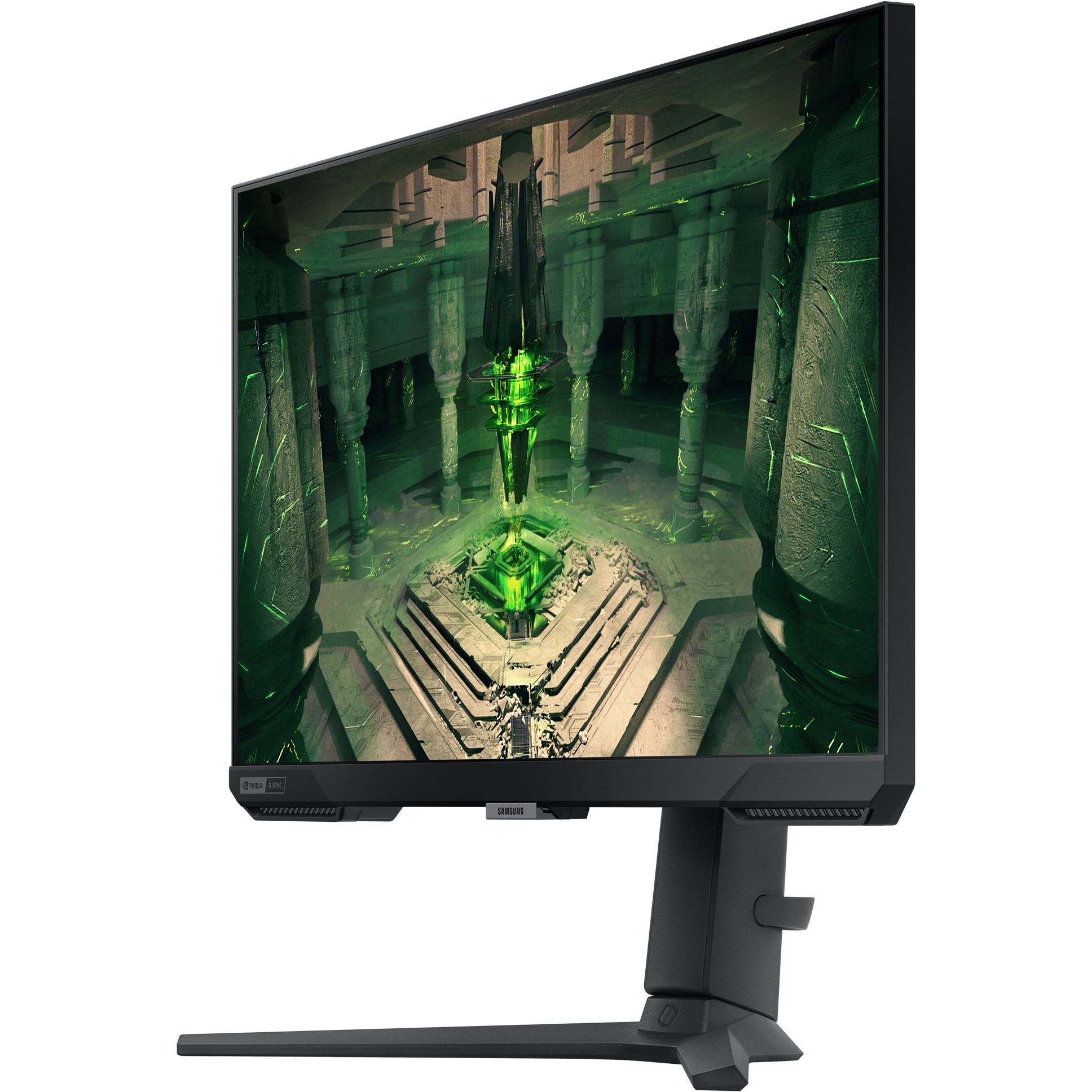
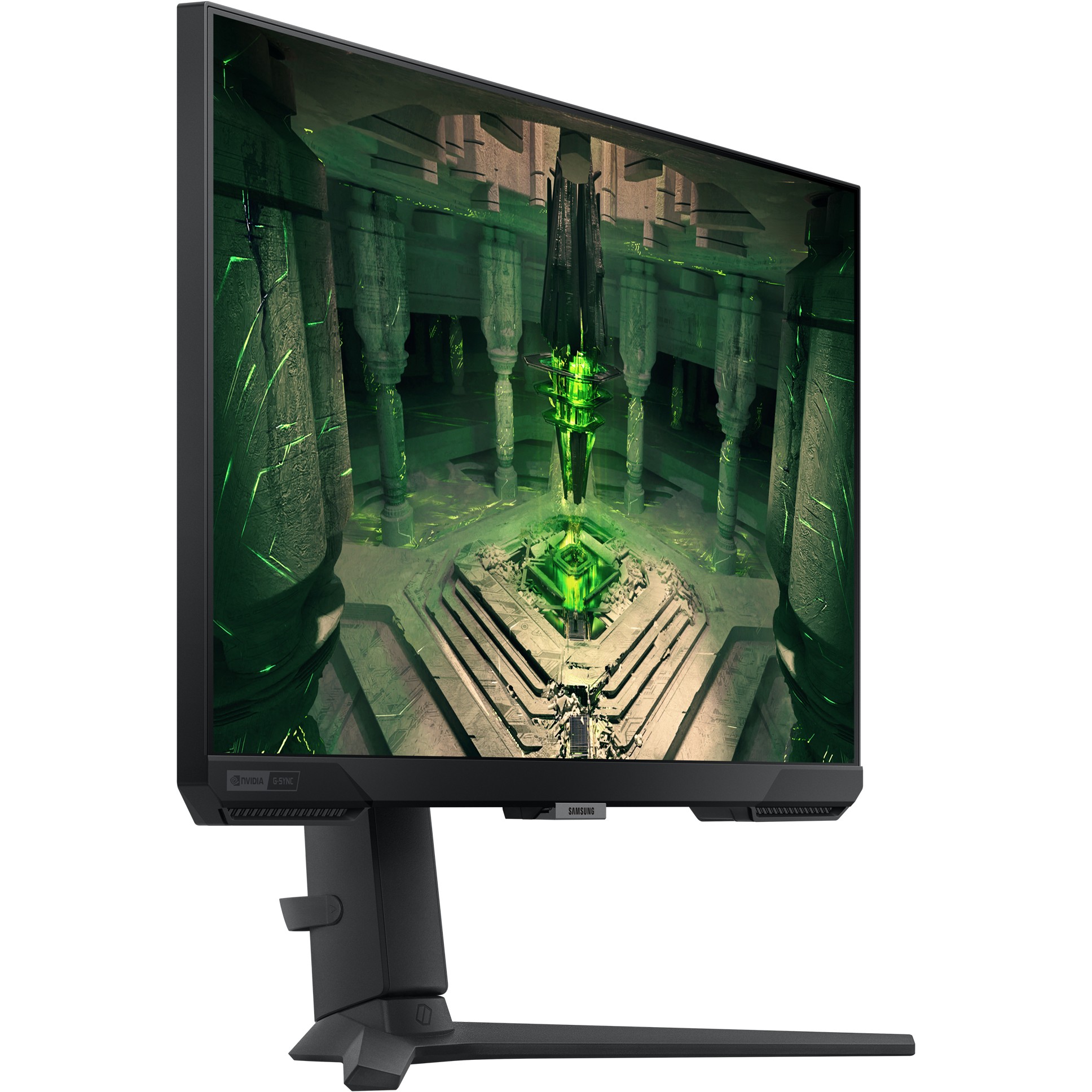
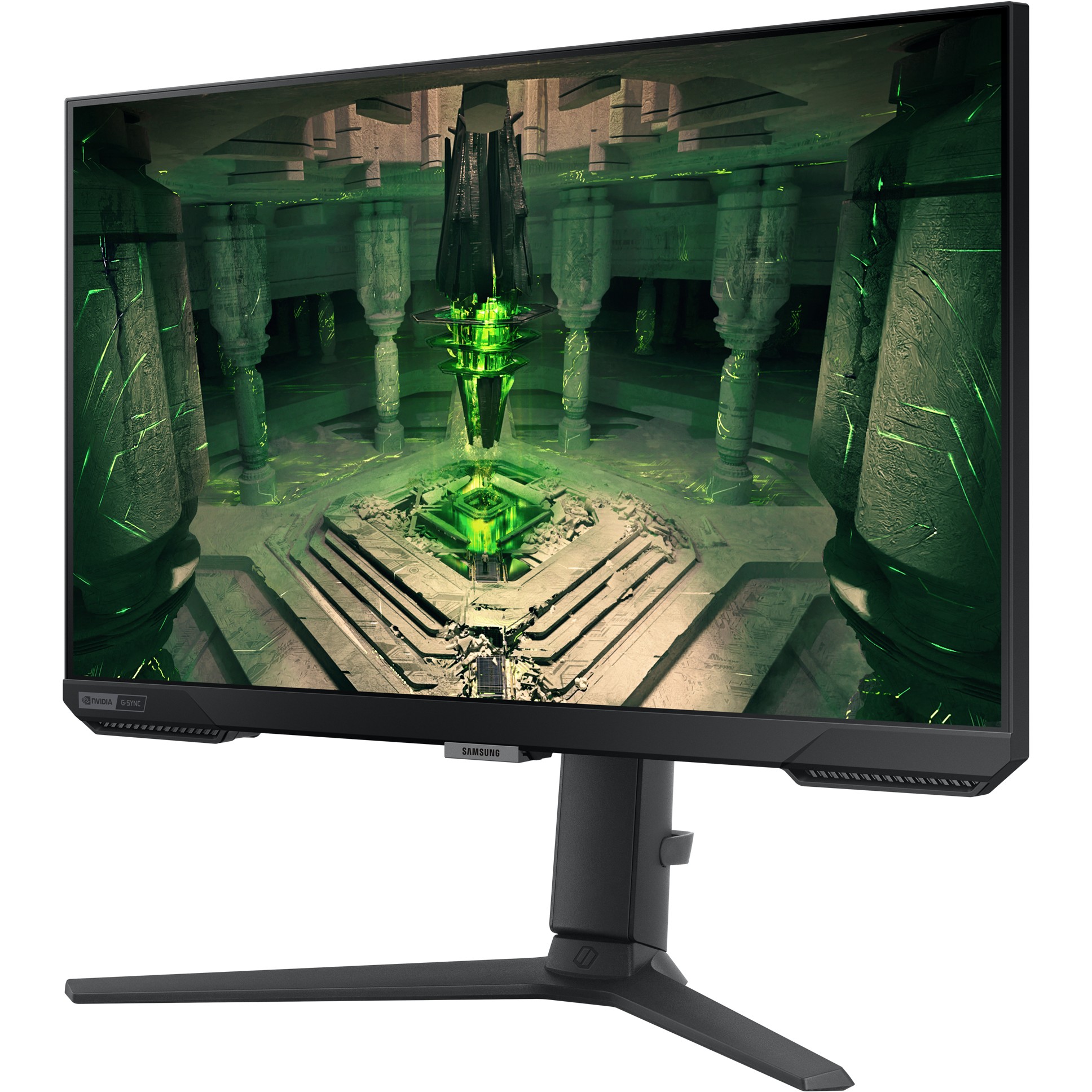
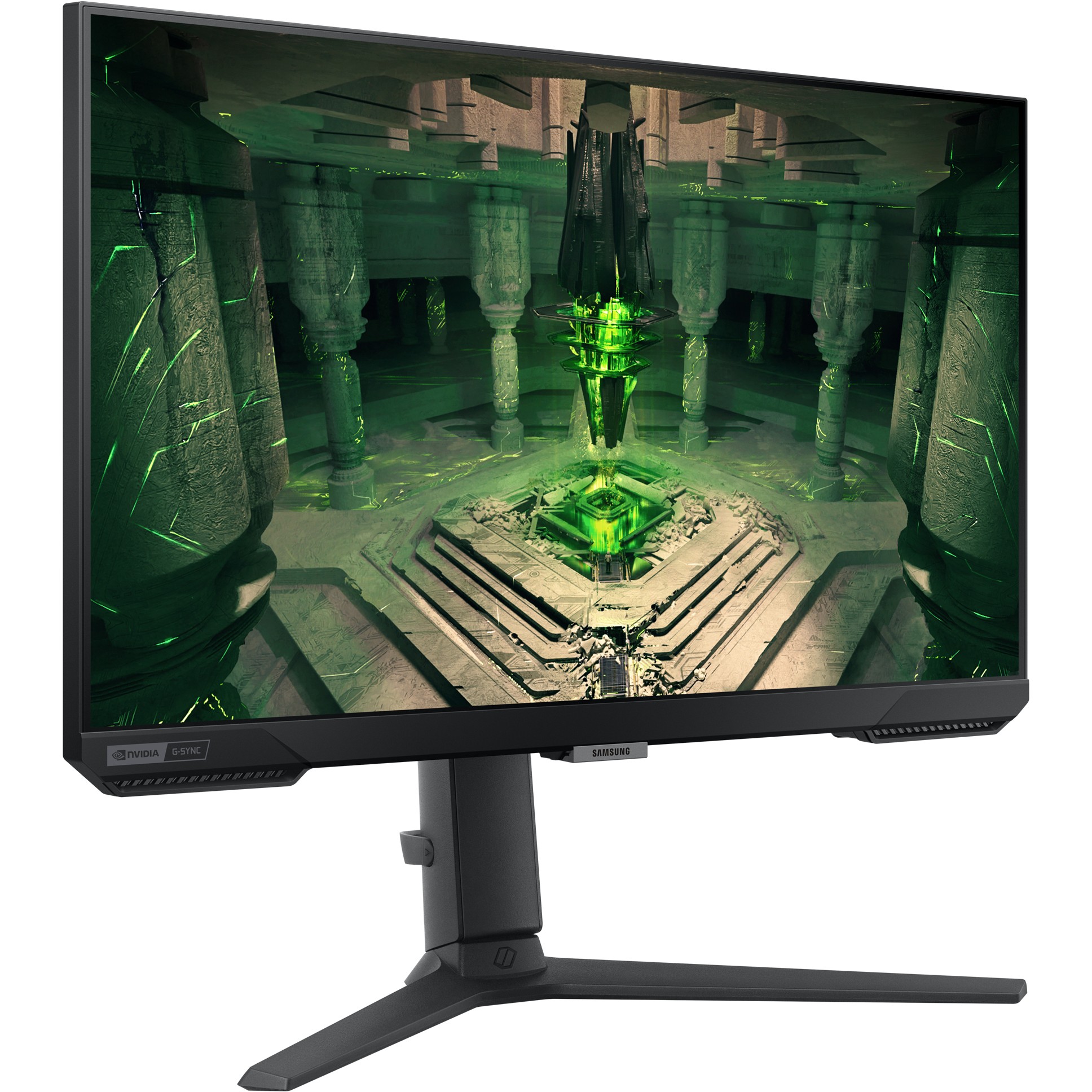
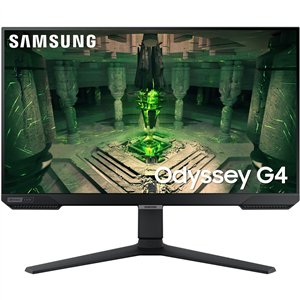
62cm / 25″ (1920×1080) Samsung Odyssey G4 S25BG400EU 16:9 FHD IPS 1ms 240Hz DP HDMI Pivot Black

  • IPS panel comes together for a crystal clear picture
  • G-Sync compatible monitor has a 240Hz refresh rate and 1ms (GtG) response time
  • Ultrawide Game View

205.63

Product information

  • IPS panel comes together for a crystal clear picture
  • G-Sync compatible monitor has a 240Hz refresh rate and 1ms (GtG) response time
  • Ultrawide Game View

Product Specifications

Specs

Display
Display diagonal
Size of the display for this product, measured diagonally, usually in inches.
63.5 cm (25")
Display resolution
The number of distinct pixels in each dimension that can be displayed. It is usually quoted as width × height, with the units in pixels: for example, "1024 × 768" means the width is 1024 pixels and the height is 768 pixels. The higher the number of pixels, the sharper the image.
1920 x 1080 pixels
HD type
Type of supported High Definition (e.g. Full HD, 4K Ultra HD).
Full HD
Native aspect ratio
The aspect ratio is the ratio of the width of an image to its height. The native aspect ratio is the one which the projector/display is particularly designed for. Images shown in native aspect ratio will utilize the entire resolution of the display and achieve maximum brightness. Images shown in other than native aspect ratio will always have less resolution and less brightness than images shown in native aspect ratio.
16:9
Panel type
IPS
Display brightness (typical)
Display brightness, measured by its Luminance, presented as a figure in nits. Typical brightness ratings for monitors range from 250 to 350 nits with a target value of between 80 to 120 nits being suitable for most displays in a normal viewing environment.
400 cd/m²
Display brightness (min)
320 cd/m²
Response time
The response time is the time difference between the moment that a source (for example a video card) sends a signal and that equipment (for example a monitor) receives or display the signal. (Used abbreviations: R/F = Rise and Fall.)
1 ms
Response time measurement type
GTG (Gray to Gray)
Screen shape
Flat
Contrast ratio (typical)
The difference in light intensity between the brightest white and the darkest black.
1000:1
Dynamic contrast ratio marketing name
Mega DCR
Maximum refresh rate
240 Hz
Refresh rate optimizor
Viewing angle, horizontal
Maximum horizontal angle at which a display can be viewed with acceptable visual performance.
178°
Viewing angle, vertical
Maximum vertical angle at which a display can be viewed with acceptable visual performance.
178°
Display number of colours
16.7 million colours
Viewable size, horizontal
The viewable size is often somewhat smaller than the actual size of a monitor, because there is a border around the image.
54.4 cm
Viewable size, vertical
30.3 cm
Display diagonal (metric)
This is the size of the display screen, measured diagonally.
62 cm
High Dynamic Range (HDR) supported
High Dynamic Range (HDR) technology
High Dynamic Range 10 (HDR10)
sRGB coverage (typical)
99%
Quantum dot color technology
Performance
NVIDIA G-SYNC
NVIDIA G-SYNC type
G-SYNC Compatible
AMD FreeSync
The product includes AMD Freesync Technology for the dynamic synchronization of the graphic card and the monitor in order to avoid screen tearing.
AMD FreeSync type
FreeSync Premium
ConnectShare (USB)
Flicker-free technology
Game mode
Game features
Super Arena Gaming UX, Super Ultrawide GameView
Smart modes
Cinema, Custom, Dynamic, FPS, RPG, RTS, Sports
Windows operating systems supported
Windows vesions wich can be used with the device.
Windows 10
Multimedia
Built-in speaker(s)
The device contains speaker(s) to produce sound.
Adaptive Sound Control (ASC)
Built-in camera
The product has an integrated camera.
Design
Market positioning
Under which category can the device be positioned in the market, e.g. camera phone.
Consumer
Product colour
The colour e.g. red, blue, green, black, white.
Black
Feet colour
The colour of the feet, which are the projecting part on which a device/piece of furniture, or each of its legs, stands.
Black
Ports & interfaces
Built-in USB hub
Whether or not the device features a USB hub to connect more than one other device via USB.
DVI port
Digital Visual Interface (DVI) is a video display interface to connect a video source to a display device, such as a computer monitor.
HDMI
HDMI (High-Definition Multimedia Interface) is a compact audio/video interface for transferring uncompressed video data and compressed/uncompressed digital audio data from a HDMI-compliant device ("the source device") to a compatible computer monitor, video projector, digital television, or digital audio device. HDMI is a digital replacement for existing analog video standards.
HDMI ports quantity
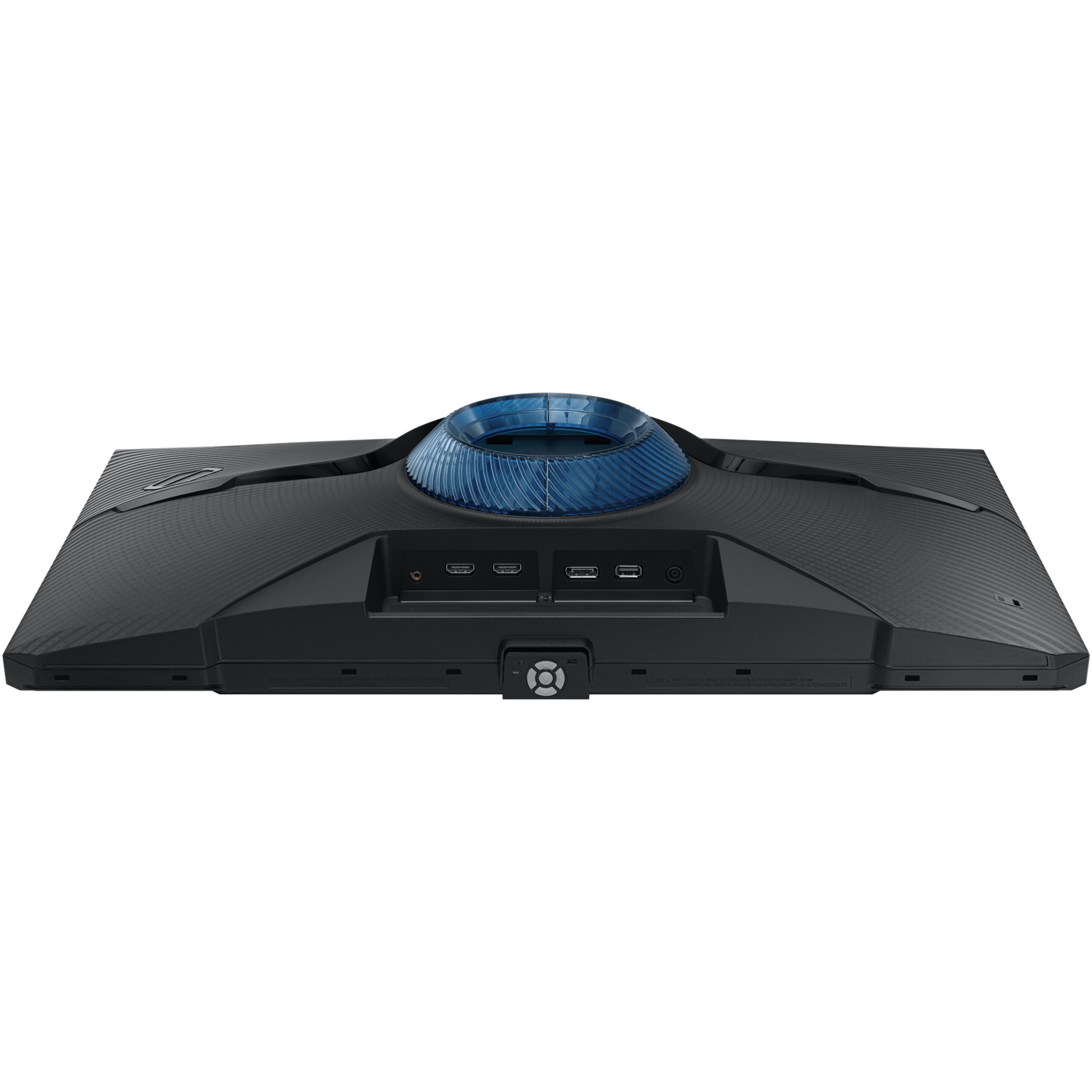
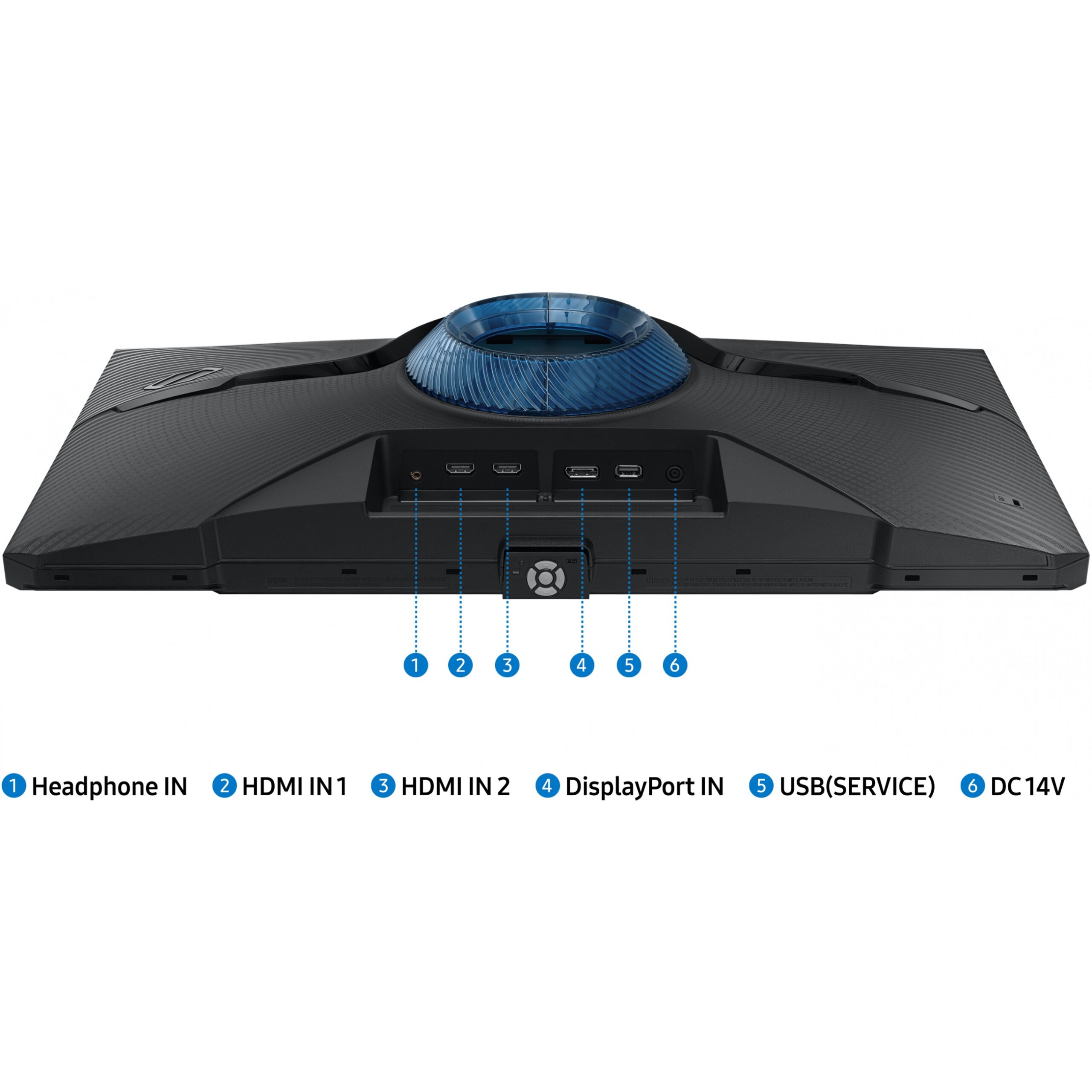
The number of sockets (ports) for HDMI connections. HDMI (High-Definition Multimedia Interface) is a compact audio/video interface for transferring uncompressed video data and compressed/uncompressed digital audio data from a HDMI-compliant device ("the source device") to a compatible computer monitor, video projector, digital television, or digital audio device. HDMI is a digital replacement for existing analog video standards.
2
HDMI version
2.0
DisplayPorts quantity
Number of DisplayPorts. A DisplayPort is a digital display interface developed by the Video Electronics Standards Association (VESA). The interface is primarily used to connect a video source to a display device such as a computer monitor, though it can also be used to carry audio, USB, and other forms of data.
1
DisplayPort version
1.2
Audio input
The type of audio input that the device requires, and the connection needed.
Headphone out
The socket for connecting headphones to the device.
HDCP
High-bandwidth Digital Content Protection (HDCP) is a form of digital copy protection to prevent copying of digital audio and video content as it travels across connections.
HDCP version
2.2
Network
Wi-Fi
Popular technology that allows an electronic device to exchange data or connect to the internet wirelessly using radio waves.
Bluetooth
Bluetooth is a low-power radio technology developed to replace the cables and wires currently used to link or connect electronic devices such as personal computers, printers, and a wide variety of handheld devices including mobile phones. Because it uses radio-wave connectivity, a Bluetooth-enabled device has a constant, established connection to whatever browser it uses. This saves the user the trouble of logging on to check for emails or news updates, for example.
Ethernet LAN
An Ethernet LAN (Local Area Network) interface is present, for a wired conection via a cable.
Ergonomics
VESA mounting
Panel mounting interface
The product can be used wih VESA mounting interfaces.
100 x 100 mm
Wall mountable
The product can be mounted on (attached to ) a wall.
Height adjustment
The part of the device that can be adjusted to change the height.
Adjustable height (max)
12 cm
Pivot
Pivot angle
-92 - 92°
Swivelling
Swivel angle range
-15 - 15°
Ergonomics
Tilt adjustment
The tilt, which means the angle at which the device is pointing (up or down), can be changed.
Tilt angle range
-3 - 22°
Picture-in-Picture
Picture-in-picture (PiP) is a feature of some television receivers and similar devices. One program (channel) is displayed on the full TV screen at the same time as one or more other programs are displayed in inset windows. Sound is usually from the main program only.
Black eQualizer function
Power
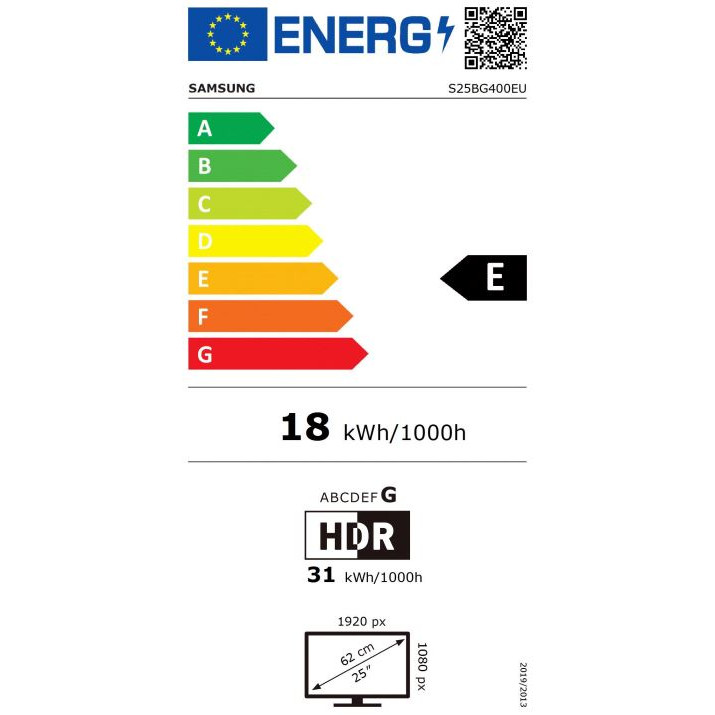
Energy efficiency class (SDR)
E
Energy efficiency class (HDR)
G
Energy consumption (SDR) per 1000 hours
18 kWh
Energy consumption (HDR) per 1000 hours
31 kWh
Power consumption (typical)
Amount of power consumed by this model, often expressed in watts (W). Typical values that manufacturers give are power consumption when off, standby/suspended mode, typical use, maximum usage.
18 W
Power consumption (max)
The maximum amount of power used by the device.
35 W
Power consumption (off)
0.3 W
AC input voltage
The voltage of the AC electricity that is inputted into the product.
100 - 240 V
Power supply type
The type of power supply which this product uses.
External
Energy efficiency scale
A to G
European Product Registry for Energy Labelling (EPREL) code
1190679
Operational conditions
Operating temperature (T-T)
The minimum and maximum temperatures at which the product can be safely operated.
10 - 40 °C
Operating relative humidity (H-H)
10 - 80%
Weight & dimensions
Width (with stand)
558.5 mm
Depth (with stand)
244.8 mm
Height (with stand)
552.9 mm
Weight (with stand)
4.5 kg
Width (without stand)
558.5 mm
Depth (without stand)
85.4 mm
Height (without stand)
341.1 mm
Weight (without stand)
2.8 kg
Packaging data
Stand type
HAS stand
Package width
The distance from one side of the packaging to the other.
628 mm
Package depth
The distance from the front to the back of the packaging.
429 mm
Package height
The distance from the top to the bottom of the packaging.
163 mm
Package weight
Weight of the packaged product.
6 kg
Packaging content
Cables included
HDMI
Power cable length
1.5 m
Other features
Brand specific technologies
Black Equalizer
Low input lag
Sound mirroring
TV Plus
SmartThings app support
Works with Samsung Bixby
Tap view
Far-field voice interaction
Universal guide
Power consumption (DPMS)
0.5 W
Picture-by-Picture (PbP)
Samsung Eye Saver Mode
Anynet + (HDMI-CEC)
Wireless charging
Daisy chain
Eco Saving Plus
Eco Motion Sensor
Eco Light Sensor
Image size
No
Wireless display
Gray balance
No
Disclaimer
Factory tunning
No
Adaptive picture
Off Timer Plus
Workspace
Factory calibration report
Uniformity correction
Virtual AIM point

Specs

Display
Display diagonal
Size of the display for this product, measured diagonally, usually in inches.
63.5 cm (25″)
Display resolution
The number of distinct pixels in each dimension that can be displayed. It is usually quoted as width × height, with the units in pixels: for example, “1024 × 768” means the width is 1024 pixels and the height is 768 pixels. The higher the number of pixels, the sharper the image.
1920 x 1080 pixels
HD type
Type of supported High Definition (e.g. Full HD, 4K Ultra HD).
Full HD
Native aspect ratio
The aspect ratio is the ratio of the width of an image to its height. The native aspect ratio is the one which the projector/display is particularly designed for. Images shown in native aspect ratio will utilize the entire resolution of the display and achieve maximum brightness. Images shown in other than native aspect ratio will always have less resolution and less brightness than images shown in native aspect ratio.
16:9
Panel type
IPS
Display brightness (typical)
Display brightness, measured by its Luminance, presented as a figure in nits. Typical brightness ratings for monitors range from 250 to 350 nits with a target value of between 80 to 120 nits being suitable for most displays in a normal viewing environment.
400 cd/m²
Display brightness (min)
320 cd/m²
Response time
The response time is the time difference between the moment that a source (for example a video card) sends a signal and that equipment (for example a monitor) receives or display the signal. (Used abbreviations: R/F = Rise and Fall.)
1 ms
Response time measurement type
GTG (Gray to Gray)
Screen shape
Flat
Contrast ratio (typical)
The difference in light intensity between the brightest white and the darkest black.
1000:1
Dynamic contrast ratio marketing name
Mega DCR
Maximum refresh rate
240 Hz
Refresh rate optimizor
Viewing angle, horizontal
Maximum horizontal angle at which a display can be viewed with acceptable visual performance.
178°
Viewing angle, vertical
Maximum vertical angle at which a display can be viewed with acceptable visual performance.
178°
Display number of colours
16.7 million colours
Viewable size, horizontal
The viewable size is often somewhat smaller than the actual size of a monitor, because there is a border around the image.
54.4 cm
Viewable size, vertical
30.3 cm
Display diagonal (metric)
This is the size of the display screen, measured diagonally.
62 cm
High Dynamic Range (HDR) supported
High Dynamic Range (HDR) technology
High Dynamic Range 10 (HDR10)
sRGB coverage (typical)
99%
Quantum dot color technology
Performance
NVIDIA G-SYNC
NVIDIA G-SYNC type
G-SYNC Compatible
AMD FreeSync
The product includes AMD Freesync Technology for the dynamic synchronization of the graphic card and the monitor in order to avoid screen tearing.
AMD FreeSync type
FreeSync Premium
ConnectShare (USB)
Flicker-free technology
Game mode
Game features
Super Arena Gaming UX, Super Ultrawide GameView
Smart modes
Cinema, Custom, Dynamic, FPS, RPG, RTS, Sports
Windows operating systems supported
Windows vesions wich can be used with the device.
Windows 10
Multimedia
Built-in speaker(s)
The device contains speaker(s) to produce sound.
Adaptive Sound Control (ASC)
Built-in camera
The product has an integrated camera.
Design
Market positioning
Under which category can the device be positioned in the market, e.g. camera phone.
Consumer
Product colour
The colour e.g. red, blue, green, black, white.
Black
Feet colour
The colour of the feet, which are the projecting part on which a device/piece of furniture, or each of its legs, stands.
Black
Ports & interfaces
Built-in USB hub
Whether or not the device features a USB hub to connect more than one other device via USB.
DVI port
Digital Visual Interface (DVI) is a video display interface to connect a video source to a display device, such as a computer monitor.
HDMI
HDMI (High-Definition Multimedia Interface) is a compact audio/video interface for transferring uncompressed video data and compressed/uncompressed digital audio data from a HDMI-compliant device (“the source device”) to a compatible computer monitor, video projector, digital television, or digital audio device. HDMI is a digital replacement for existing analog video standards.
HDMI ports quantity
The number of sockets (ports) for HDMI connections. HDMI (High-Definition Multimedia Interface) is a compact audio/video interface for transferring uncompressed video data and compressed/uncompressed digital audio data from a HDMI-compliant device (“the source device”) to a compatible computer monitor, video projector, digital television, or digital audio device. HDMI is a digital replacement for existing analog video standards.
2
HDMI version
2.0
DisplayPorts quantity
Number of DisplayPorts. A DisplayPort is a digital display interface developed by the Video Electronics Standards Association (VESA). The interface is primarily used to connect a video source to a display device such as a computer monitor, though it can also be used to carry audio, USB, and other forms of data.
1
DisplayPort version
1.2
Audio input
The type of audio input that the device requires, and the connection needed.
Headphone out
The socket for connecting headphones to the device.
HDCP
High-bandwidth Digital Content Protection (HDCP) is a form of digital copy protection to prevent copying of digital audio and video content as it travels across connections.
HDCP version
2.2
Network
Wi-Fi
Popular technology that allows an electronic device to exchange data or connect to the internet wirelessly using radio waves.
Bluetooth
Bluetooth is a low-power radio technology developed to replace the cables and wires currently used to link or connect electronic devices such as personal computers, printers, and a wide variety of handheld devices including mobile phones. Because it uses radio-wave connectivity, a Bluetooth-enabled device has a constant, established connection to whatever browser it uses. This saves the user the trouble of logging on to check for emails or news updates, for example.
Ethernet LAN
An Ethernet LAN (Local Area Network) interface is present, for a wired conection via a cable.
Ergonomics
VESA mounting
Panel mounting interface
The product can be used wih VESA mounting interfaces.
100 x 100 mm
Wall mountable
The product can be mounted on (attached to ) a wall.
Height adjustment
The part of the device that can be adjusted to change the height.
Adjustable height (max)
12 cm
Pivot
Pivot angle
-92 – 92°
Swivelling
Swivel angle range
-15 – 15°
Ergonomics
Tilt adjustment
The tilt, which means the angle at which the device is pointing (up or down), can be changed.
Tilt angle range
-3 – 22°
Picture-in-Picture
Picture-in-picture (PiP) is a feature of some television receivers and similar devices. One program (channel) is displayed on the full TV screen at the same time as one or more other programs are displayed in inset windows. Sound is usually from the main program only.
Black eQualizer function
Power
Energy efficiency class (SDR)
E
Energy efficiency class (HDR)
G
Energy consumption (SDR) per 1000 hours
18 kWh
Energy consumption (HDR) per 1000 hours
31 kWh
Power consumption (typical)
Amount of power consumed by this model, often expressed in watts (W). Typical values that manufacturers give are power consumption when off, standby/suspended mode, typical use, maximum usage.
18 W
Power consumption (max)
The maximum amount of power used by the device.
35 W
Power consumption (off)
0.3 W
AC input voltage
The voltage of the AC electricity that is inputted into the product.
100 – 240 V
Power supply type
The type of power supply which this product uses.
External
Energy efficiency scale
A to G
European Product Registry for Energy Labelling (EPREL) code
1190679
Operational conditions
Operating temperature (T-T)
The minimum and maximum temperatures at which the product can be safely operated.
10 – 40 °C
Operating relative humidity (H-H)
10 – 80%
Weight & dimensions
Width (with stand)
558.5 mm
Depth (with stand)
244.8 mm
Height (with stand)
552.9 mm
Weight (with stand)
4.5 kg
Width (without stand)
558.5 mm
Depth (without stand)
85.4 mm
Height (without stand)
341.1 mm
Weight (without stand)
2.8 kg
Packaging data
Stand type
HAS stand
Package width
The distance from one side of the packaging to the other.
628 mm
Package depth
The distance from the front to the back of the packaging.
429 mm
Package height
The distance from the top to the bottom of the packaging.
163 mm
Package weight
Weight of the packaged product.
6 kg
Packaging content
Cables included
HDMI
Power cable length
1.5 m
Other features
Brand specific technologies
Black Equalizer
Low input lag
Sound mirroring
TV Plus
SmartThings app support
Works with Samsung Bixby
Tap view
Far-field voice interaction
Universal guide
Power consumption (DPMS)
0.5 W
Picture-by-Picture (PbP)
Samsung Eye Saver Mode
Anynet + (HDMI-CEC)
Wireless charging
Daisy chain
Eco Saving Plus
Eco Motion Sensor
Eco Light Sensor
Image size
No
Wireless display
Gray balance
No
Disclaimer
Factory tunning
No
Adaptive picture
Off Timer Plus
Workspace
Factory calibration report
Uniformity correction
Virtual AIM point

Customer Reviews

Add a review
62cm / 25" (1920x1080) Samsung Odyssey G4 S25BG400EU 16:9 FHD IPS 1ms 240Hz DP HDMI Pivot Black 62cm / 25" (1920x1080) Samsung Odyssey G4 S25BG400EU 16:9 FHD IPS 1ms 240Hz DP HDMI Pivot Black
Rating*
0/5
* Rating is required
Your review
* Review is required
Name
* Name is required
0.0
Based on 0 reviews
5 star
0%
4 star
0%
3 star
0%
2 star
0%
1 star
0%
0 of 0 reviews

Sorry, no reviews match your current selections

Accessories

Questions & Answers

Q & A

Ask a question
You must be logged in to ask a question Log In
There are no questions yet

Delivery & Returns

We aim to deliver your order quickly and safely.

  • Standard delivery: 3–6 working days within Ireland.

  • Click & Collect: Available free from our Clonakilty store (you will be notified when your order is ready).

  • If an item is out of stock, we will contact you with an updated delivery timeframe or alternative options.

  • Delivery charges are calculated at checkout based on order size and destination.

Warranty

All products sold by Computronic come with a standard manufacturer’s warranty. Warranty length and coverage may vary by product and brand. For most electronics, this is 12 months from the date of purchase. Please keep your receipt or order confirmation as proof of purchase.

  • Warranty covers manufacturing defects and hardware faults.

  • It does not cover accidental damage, misuse, or normal wear and tear.

  • For warranty claims, please contact us or bring the product to our Clonakilty store.

Buy with

Whats in the box