Free International Shipping. No Minimum Purchase Required*

How to find us  |  Gift vouchers

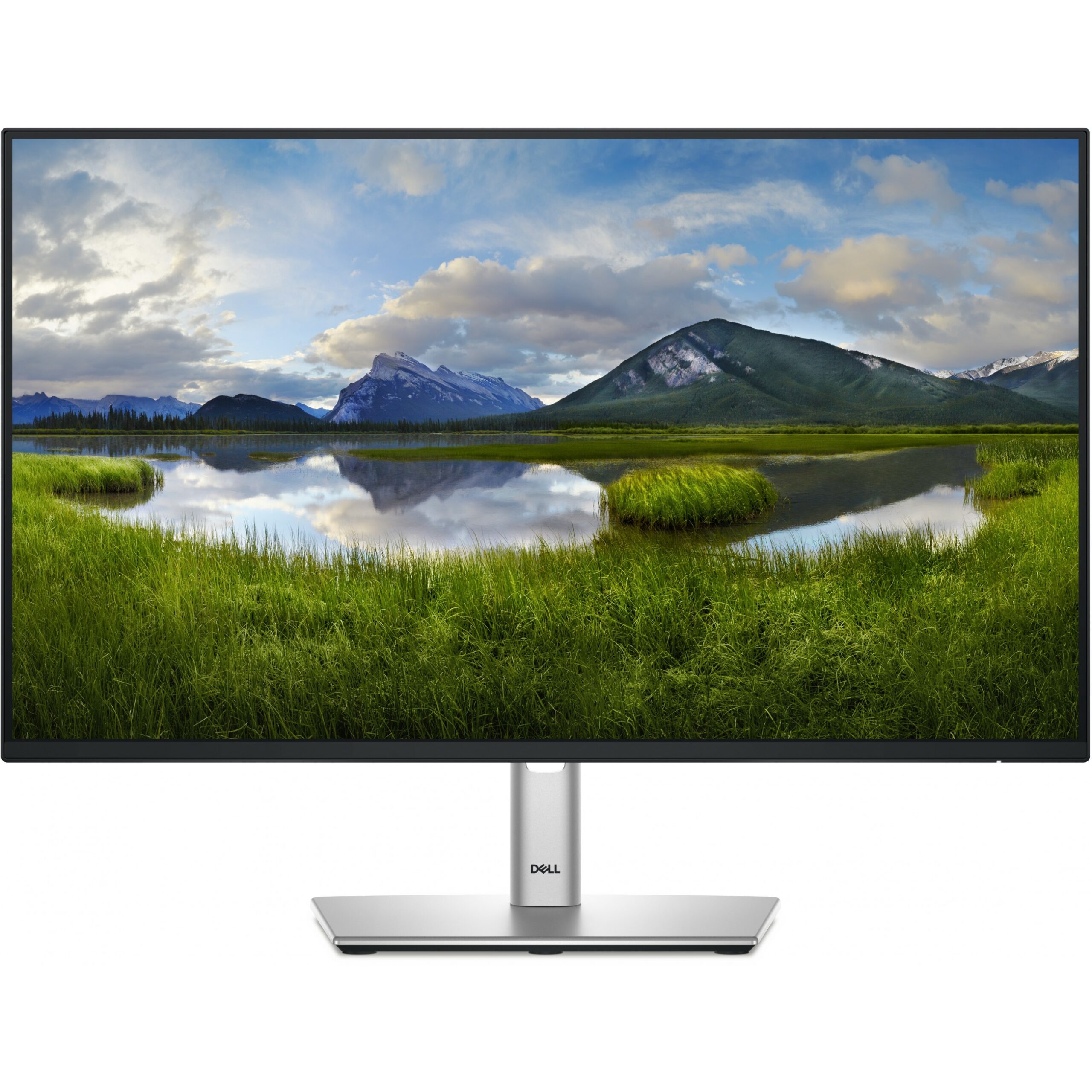
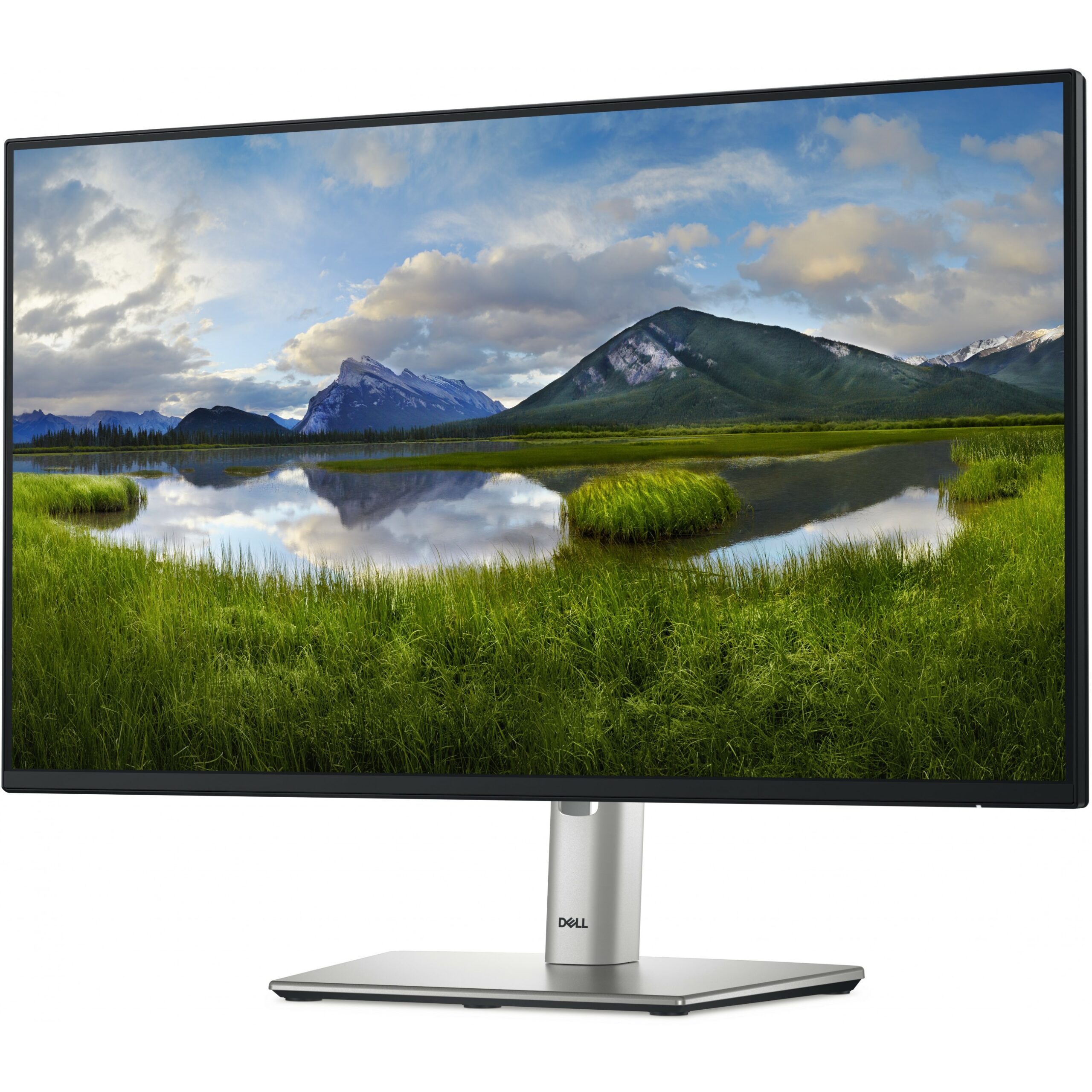
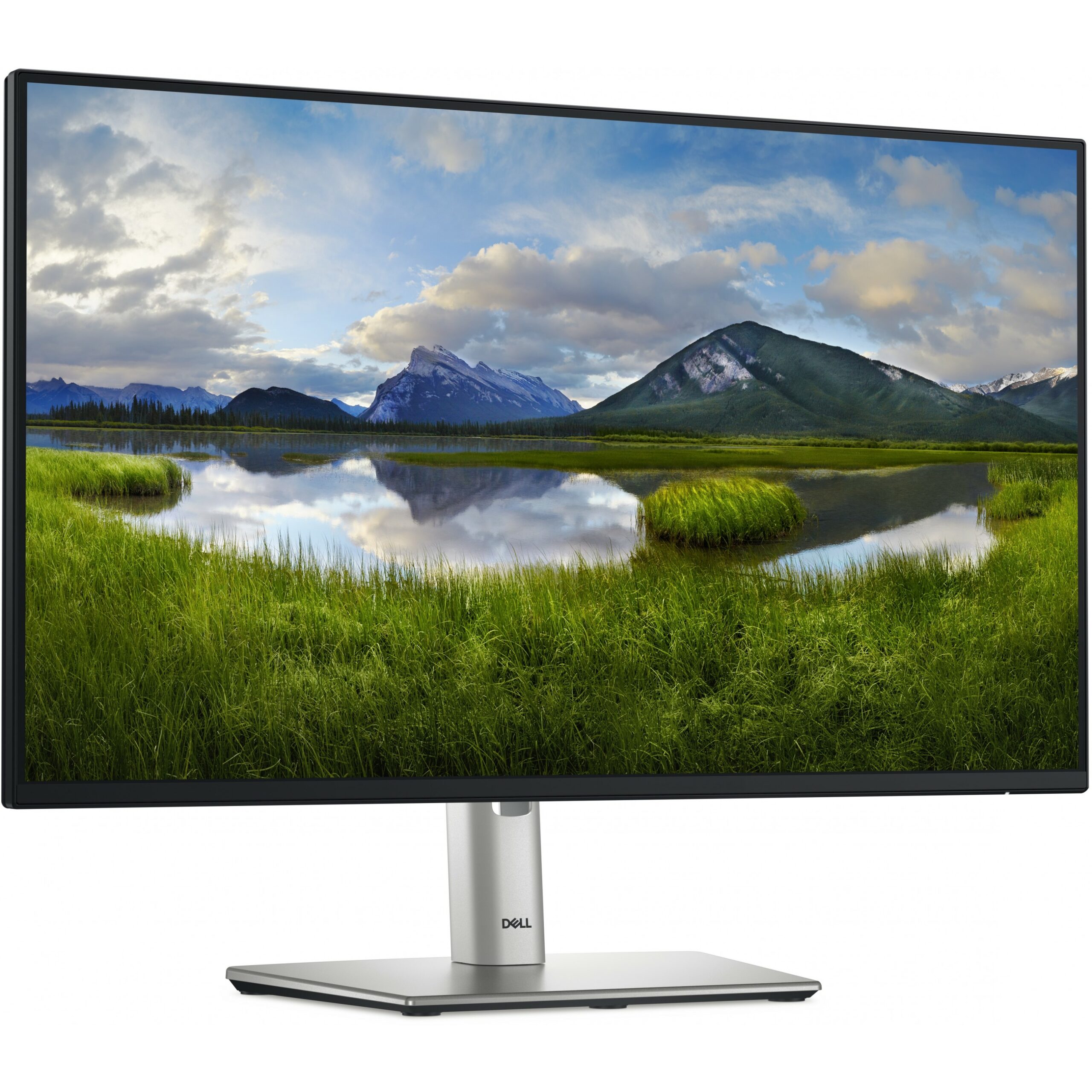
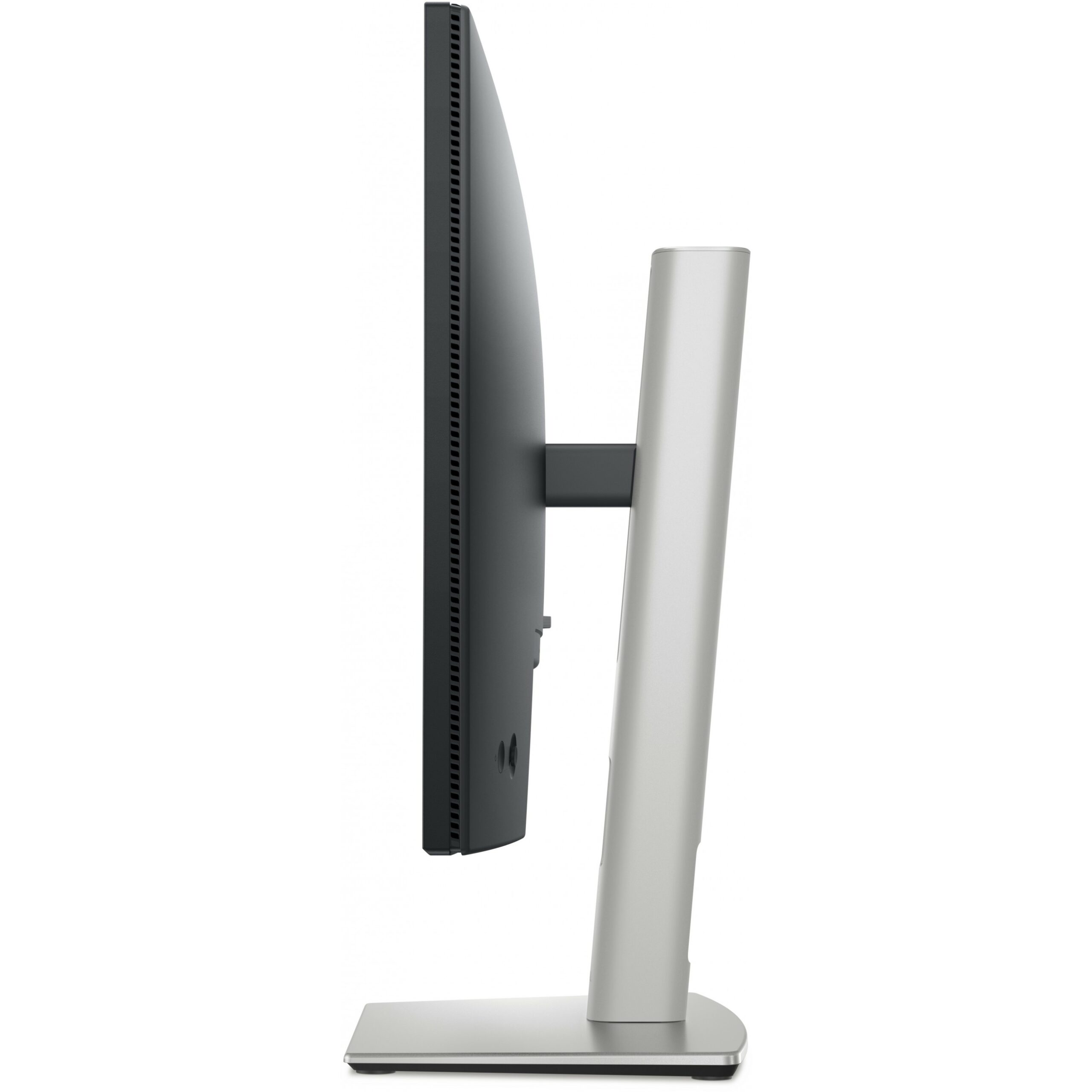
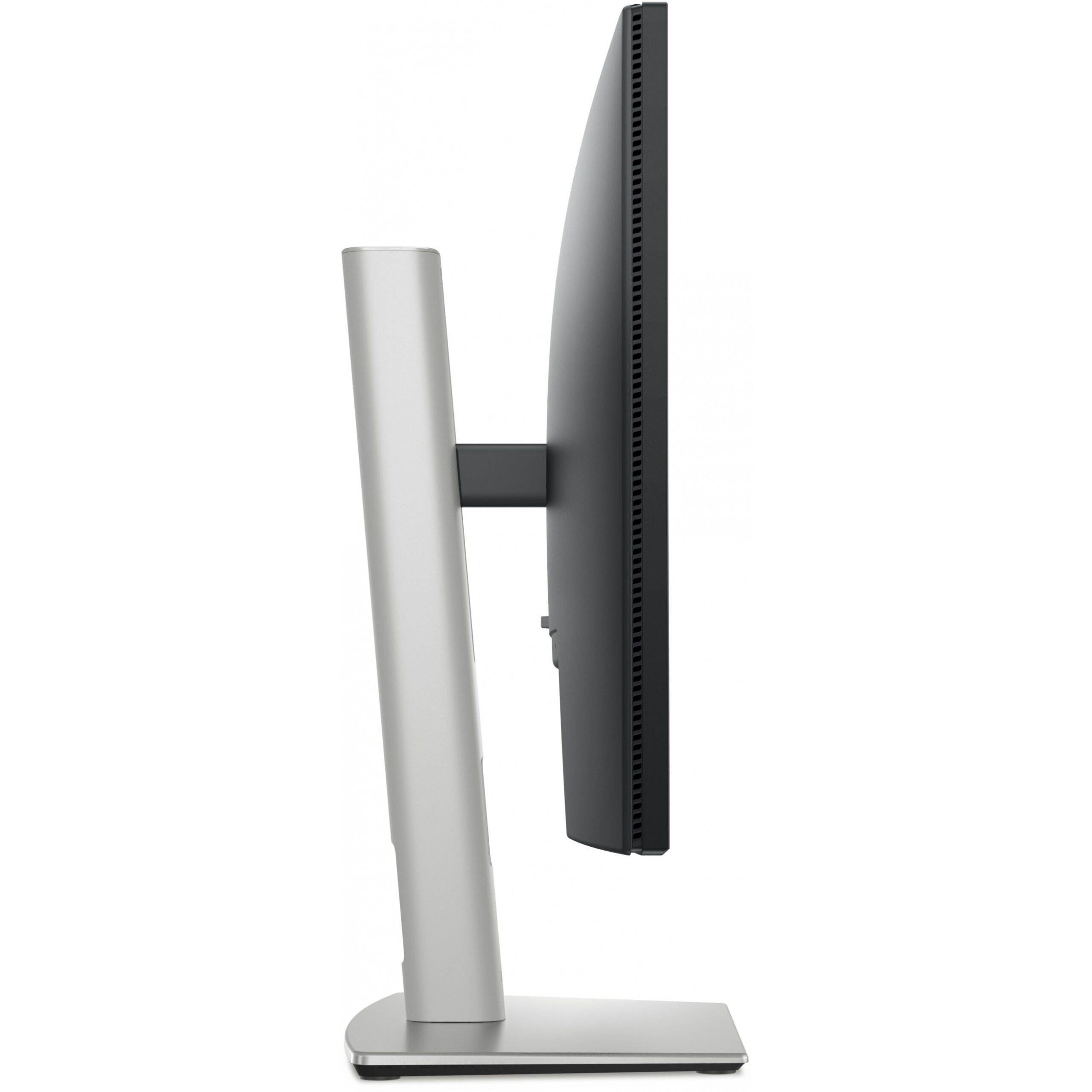
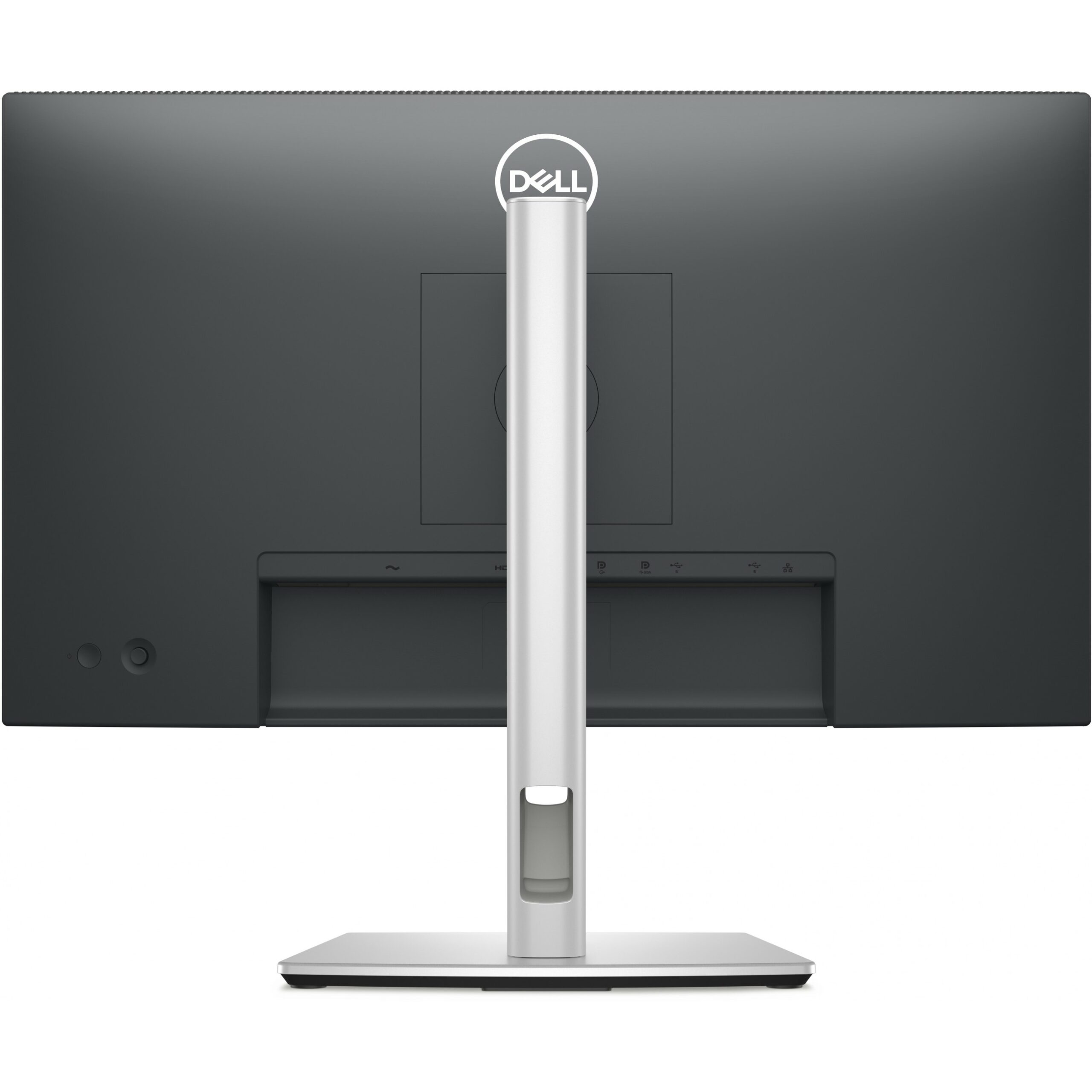
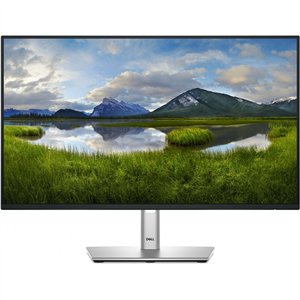
60,47cm / 23,8″ (1920×1080) Dell P2425HE 16:9 FHD IPS 5ms 100Hz HDMI DP USB-C RJ45 Black / Silver

  • 60.5cm (23.8″) Full HD 1920 x 1080 LED IPS
  • 8ms, 16:9, 250cd/m², 1500:1
  • USB, HDMI, DisplayPort

288.10

Product information

  • 60.5cm (23.8″) Full HD 1920 x 1080 LED IPS
  • 8ms, 16:9, 250cd/m², 1500:1
  • USB, HDMI, DisplayPort

Product Specifications

Specs

Display
Display diagonal
Size of the display for this product, measured diagonally, usually in inches.
60.5 cm (23.8")
Display resolution
The number of distinct pixels in each dimension that can be displayed. It is usually quoted as width × height, with the units in pixels: for example, "1024 × 768" means the width is 1024 pixels and the height is 768 pixels. The higher the number of pixels, the sharper the image.
1920 x 1080 pixels
HD type
Type of supported High Definition (e.g. Full HD, 4K Ultra HD).
Full HD
Native aspect ratio
The aspect ratio is the ratio of the width of an image to its height. The native aspect ratio is the one which the projector/display is particularly designed for. Images shown in native aspect ratio will utilize the entire resolution of the display and achieve maximum brightness. Images shown in other than native aspect ratio will always have less resolution and less brightness than images shown in native aspect ratio.
16:9
Display technology
The technology used in the display e.g. plasma, LED.
LCD
Panel type
IPS
LED backlight
A backlight is a form of illumination used in liquid crystal displays (LCDs). One type of backlight is made by LEDs, which can be either white or RGB (red green blue). White LEDs are used most often in notebooks and desktop screens, and in virtually all mobile LCD screens. RGB LEDs for backlighting are found in high-end color proofing displays such as HP DreamColor LP2480zx monitor or selected HP EliteBook notebooks, as well as newer consumer grade displays such as Dell's Studio series laptops which have an optional RGB LED display.
Backlight type
LED
Touchscreen
A screen of a laptop, smartphone, etc., that responds to touch so you can control the interface using your fingers.
Display brightness (typical)
Display brightness, measured by its Luminance, presented as a figure in nits. Typical brightness ratings for monitors range from 250 to 350 nits with a target value of between 80 to 120 nits being suitable for most displays in a normal viewing environment.
250 cd/m²
Response time
The response time is the time difference between the moment that a source (for example a video card) sends a signal and that equipment (for example a monitor) receives or display the signal. (Used abbreviations: R/F = Rise and Fall.)
8 ms
Anti-glare screen
Always gives an optimal view, even in direct sunlight.
Screen shape
Flat
Supported graphics resolutions
The graphic resolutions that can be displayed by the device. The graphic resolution describes the width and height dimensions of a display, such as a computer monitor, measured in pixels.
640 x 480 (VGA), 720 x 400, 800 x 600 (SVGA), 1024 x 768 (XGA), 1152 x 864 (XGA+), 1280 x 1024 (SXGA), 1280 x 720 (HD 720), 1600 x 900, 1920 x 1080 (HD 1080)
Supported video modes
The video modes that can be displayed by the device.
480p, 576p, 720p, 1080p
Contrast ratio (typical)
The difference in light intensity between the brightest white and the darkest black.
1500:1
Maximum refresh rate
100 Hz
Viewing angle, horizontal
Maximum horizontal angle at which a display can be viewed with acceptable visual performance.
178°
Viewing angle, vertical
Maximum vertical angle at which a display can be viewed with acceptable visual performance.
178°
Display number of colours
16.7 million colours
Response time (fast)
5 ms
Pixel pitch
This is the parameter of a picture tube, which specifies the shortest distance between two dots of the same colour. The principle is: the smaller the dot pitch, the better sharpness of image.
0.2745 x 0.2745 mm
Pixel density
92.53 ppi
Horizontal scan range
30 - 110 kHz
Vertical scan range
48 - 100 Hz
Viewable size, horizontal
The viewable size is often somewhat smaller than the actual size of a monitor, because there is a border around the image.
52.7 cm
Viewable size, vertical
29.6 cm
Viewable size diagonal
60.5 cm
Surface hardness
3H
sRGB coverage (typical)
99%
Dell ComfortView technology
Performance
NVIDIA G-SYNC
AMD FreeSync
The product includes AMD Freesync Technology for the dynamic synchronization of the graphic card and the monitor in order to avoid screen tearing.
Flicker-free technology
Low Blue Light technology
Windows operating systems supported
Windows vesions wich can be used with the device.
Windows 10, Yes
Mac operating systems supported
Mac operating systems e.g. OS X can be used with the device.
MacOS
Multimedia
Built-in speaker(s)
The device contains speaker(s) to produce sound.
Built-in camera
The product has an integrated camera.
Design
Product colour
The colour e.g. red, blue, green, black, white.
Black
Front bezel colour
Black
Feet colour
The colour of the feet, which are the projecting part on which a device/piece of furniture, or each of its legs, stands.
Grey
Ports & interfaces
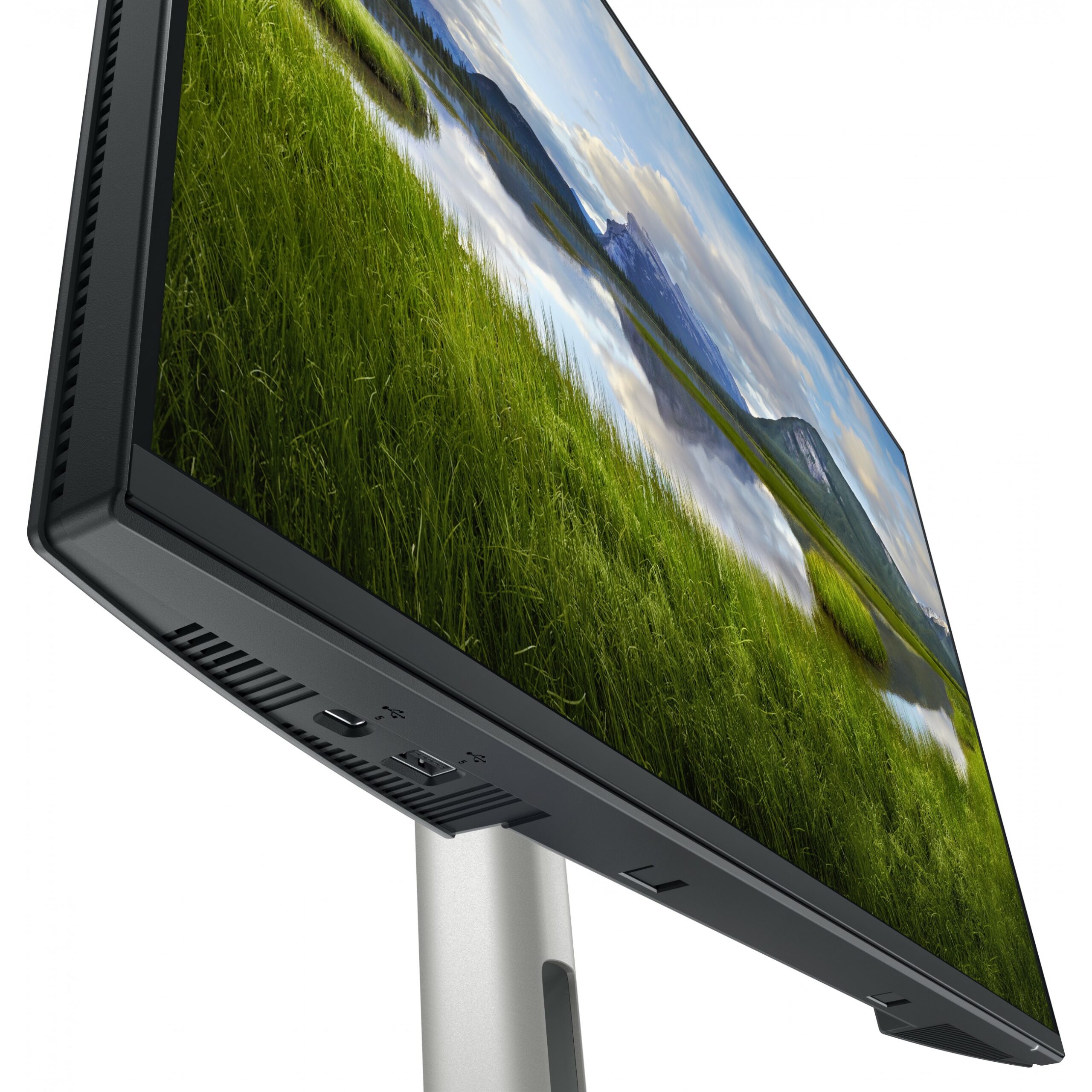
Built-in USB hub
Whether or not the device features a USB hub to connect more than one other device via USB.
USB hub version
3.2 Gen 1 (3.1 Gen 1)
Number of USB Type-C upstream ports quantity
1
USB Type-A downstream ports quantity
3
USB Type-C downstream ports quantity
1
USB Type-C DisplayPort Alternate Mode
USB Power Delivery (USB PD)
USB Power Delivery up to
90 W
HDMI
HDMI (High-Definition Multimedia Interface) is a compact audio/video interface for transferring uncompressed video data and compressed/uncompressed digital audio data from a HDMI-compliant device ("the source device") to a compatible computer monitor, video projector, digital television, or digital audio device. HDMI is a digital replacement for existing analog video standards.
HDMI ports quantity
The number of sockets (ports) for HDMI connections. HDMI (High-Definition Multimedia Interface) is a compact audio/video interface for transferring uncompressed video data and compressed/uncompressed digital audio data from a HDMI-compliant device ("the source device") to a compatible computer monitor, video projector, digital television, or digital audio device. HDMI is a digital replacement for existing analog video standards.
1
HDMI version
1.4
DisplayPorts quantity
Number of DisplayPorts. A DisplayPort is a digital display interface developed by the Video Electronics Standards Association (VESA). The interface is primarily used to connect a video source to a display device such as a computer monitor, though it can also be used to carry audio, USB, and other forms of data.
2
DisplayPort version
1.4
Headphone out
The socket for connecting headphones to the device.
HDCP
High-bandwidth Digital Content Protection (HDCP) is a form of digital copy protection to prevent copying of digital audio and video content as it travels across connections.
HDCP version
1.4
AC (power) in
Ergonomics
VESA mounting
Panel mounting interface
The product can be used wih VESA mounting interfaces.
100 x 100 mm
Cable management
Description of improved cable management
Cable lock slot
Holes on the edge of devices through which a cable lock can be passed, so the device can be locked to a desk etc.
Ergonomics
Cable lock slot type
Kensington
Height adjustment
The part of the device that can be adjusted to change the height.
Adjustable height (max)
15 cm
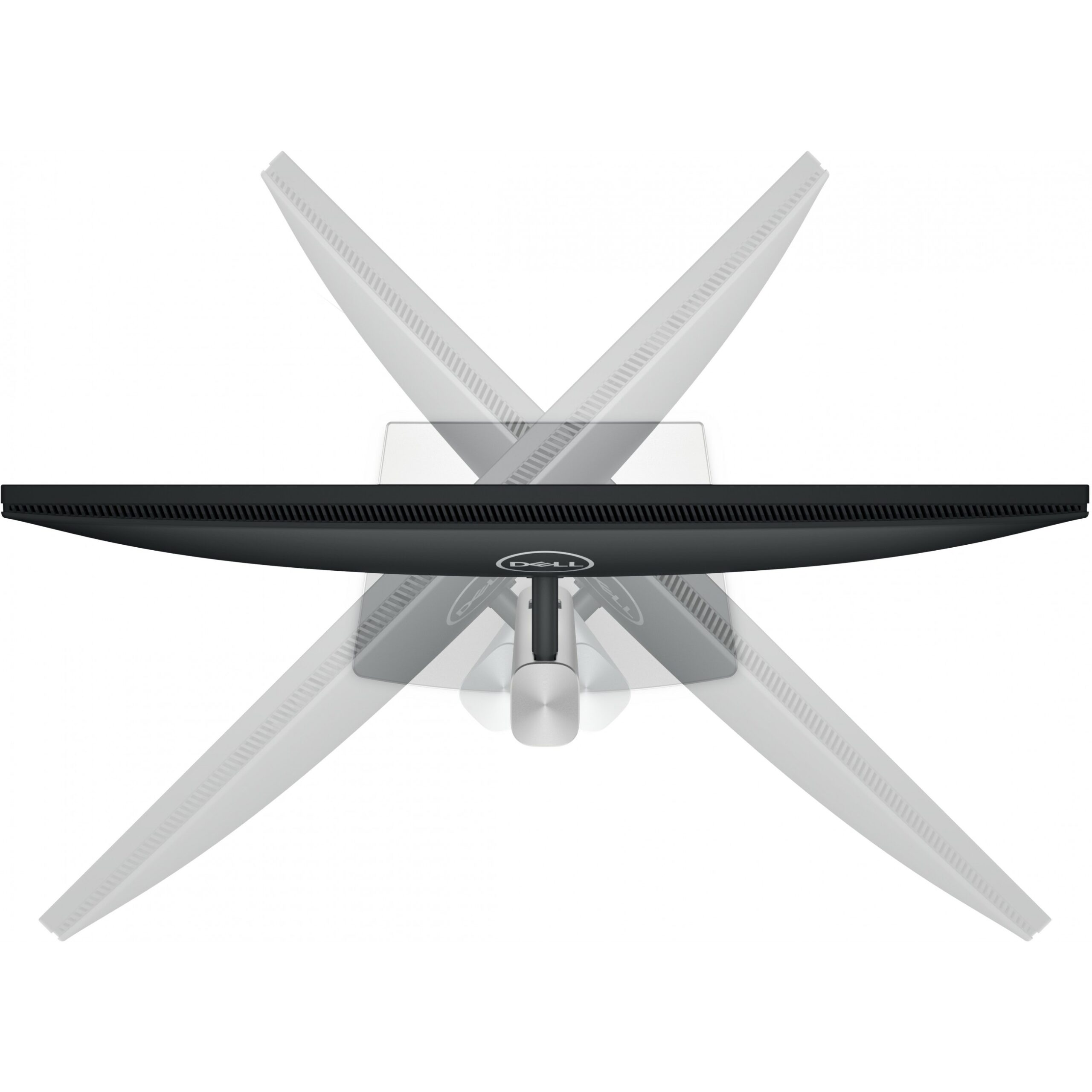
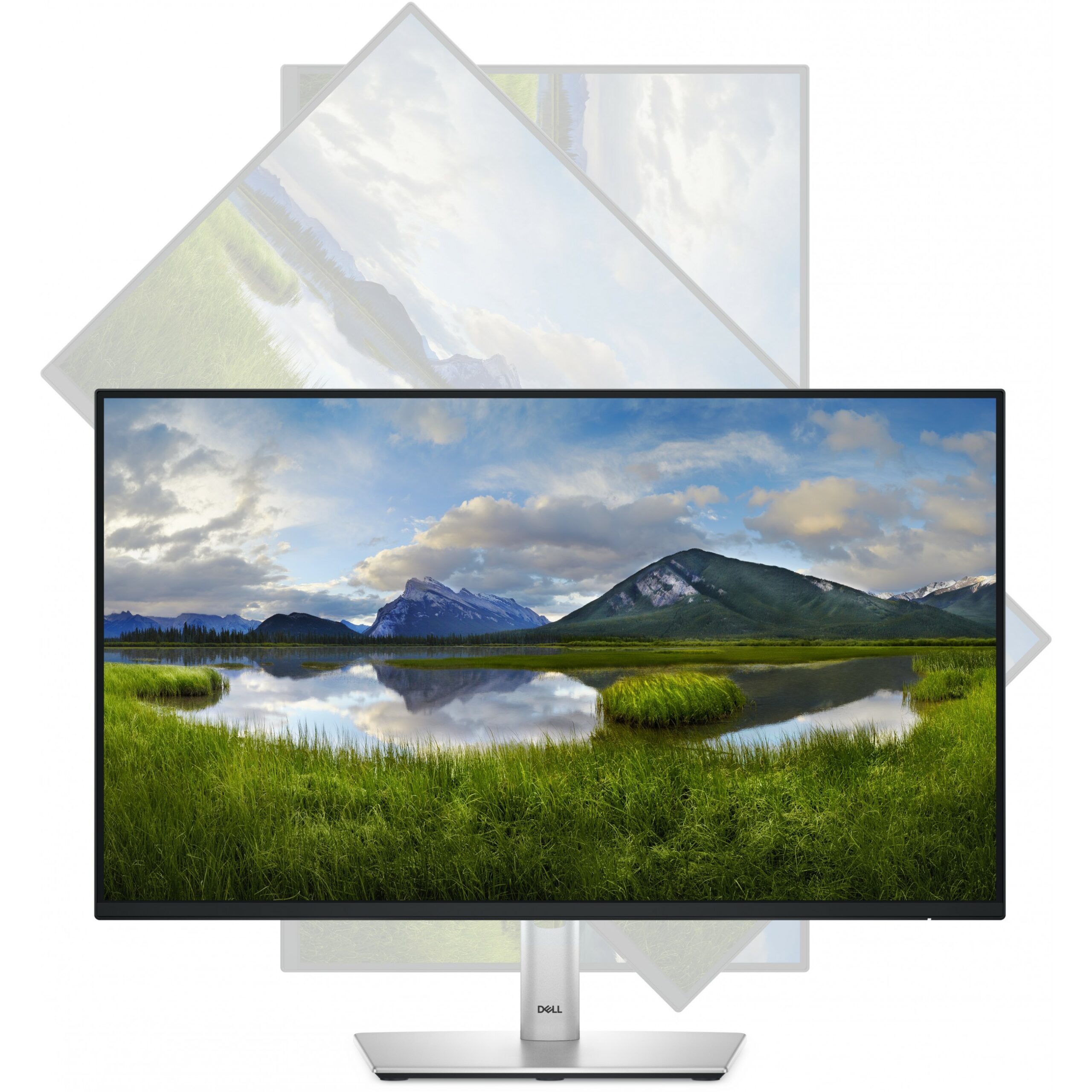
Pivot
Pivot angle
-90 - 90°
Swivelling
Swivel angle range
-45 - 45°
Tilt adjustment
The tilt, which means the angle at which the device is pointing (up or down), can be changed.
Tilt angle range
-5 - 21°
On Screen Display (OSD)
Plug and Play
Indicates whether this product supports is "plug and play". Plug and play is hardware or software that, after being installed ("plugged in"), can immediately be used ("played with"), as opposed to hardware or software which requires configuration.
LED indicators
Power
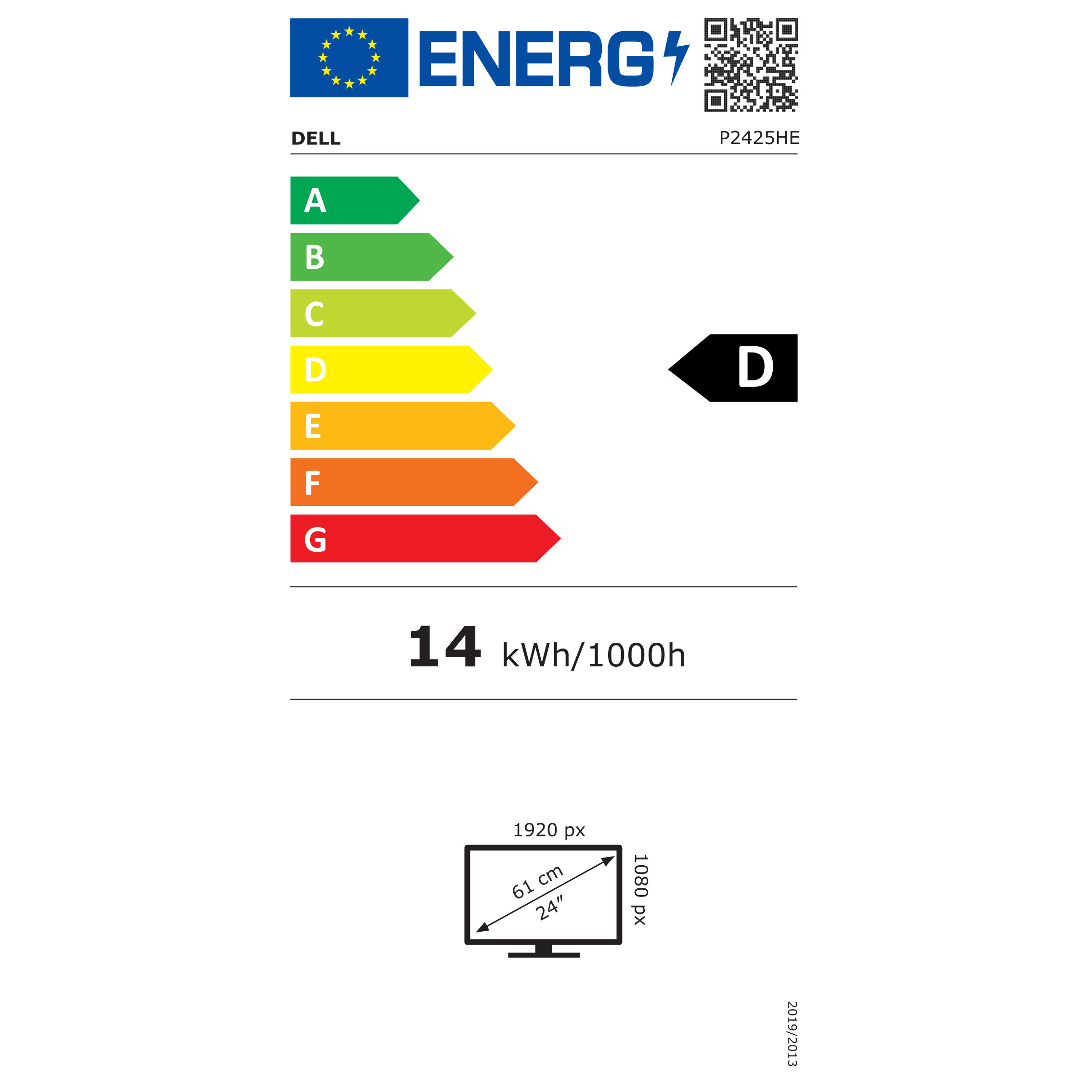
Energy efficiency class (SDR)
D
Energy efficiency class (HDR)
Not available
Energy consumption (SDR) per 1000 hours
14 kWh
Power consumption (typical)
Amount of power consumed by this model, often expressed in watts (W). Typical values that manufacturers give are power consumption when off, standby/suspended mode, typical use, maximum usage.
13.9 W
Power consumption (standby)
The amount of electricity that is consumed when the product is on standby.
0.3 W
Power consumption (max)
The maximum amount of power used by the device.
180 W
Power consumption (off)
0.3 W
AC input voltage
The voltage of the AC electricity that is inputted into the product.
100 - 240 V
AC input frequency
50/60 Hz
Input current
2 A
Power supply type
The type of power supply which this product uses.
Internal
Energy efficiency scale
A to G
European Product Registry for Energy Labelling (EPREL) code
1865677
Operational conditions
Operating temperature (T-T)
The minimum and maximum temperatures at which the product can be safely operated.
0 - 40 °C
Storage temperature (T-T)
The minimum and maximum temperatures at which the product can be safely stored.
-20 - 60 °C
Operating relative humidity (H-H)
10 - 80%
Storage relative humidity (H-H)
5 - 90%
Operating altitude
0 - 5000 m
Non-operating altitude
0 - 12192 m
Weight & dimensions
Width (with stand)
538.6 mm
Depth (with stand)
181.8 mm
Height (with stand)
364 mm
Weight (with stand)
5.18 kg
Width (without stand)
538.6 mm
Depth (without stand)
50 mm
Height (without stand)
314.2 mm
Weight (without stand)
3.69 kg
Bezel width (side)
5.8 mm
Bezel width (top)
5.8 mm
Bezel width (bottom)
1.2 cm
Packaging data
Package weight
Weight of the packaged product.
7.24 kg
USB cable length
1 m
Packaging content
Stand included
Cables included
AC, DisplayPort, USB Type-C
Quick start guide
Instructions, either online, as a computer program or in paper form, to allow you to set up and start using the product quickly.
DisplayPort cable length
1.8 m
Sustainability
Sustainability compliance
Sustainability certificates
TCO, ENERGY STAR
Doesn't contain
Arsenic, Mercury, PVC/BFR
Carbon footprint
Total carbon footprint (kg of CO2e)
The total mean carbon footprint value generated across various lifecycle stages (manufacturing, transportation / logistics, use and end of life) per unit (for one single product) i.e., measured in kilograms CO2e.
168
Carbon emissions, manufacturing (kg of CO2e)
The mean carbon emissions during the Manufacturing stage (i.e., emissions during raw material extraction and manufacturing of components (e.g., drives, graphics cards, memory, CPU, mainboards, etc.) or assembling of the product.
85.344
Carbon emissions, logistics (kg of CO2e)
The mean carbon emissions during the transportation of the product.
11.592
Carbon emissions, energy usage (kg of CO2e)
Use-phase carbon emissions from products that consume energy (fuels or electricity) during use.
68.376
Carbon emissions, end-of-life (kg of CO2e)
The mean carbon emissions related to the End-of-Life processing of products.
2.688
PAIA version
PAIA (Product Attribute to Impact Algorithm) tool for product carbon footprint calculations. The version of the PAIA tool (and year if available) used during carbon footprint calculation for a product.
GaBi version 1, 2024
Other features
RJ-45 ports quantity
1
Compliance certificates
TÜV mark, RoHS
Brand-specific features
Dell Display Manager (DDM) compatibility

Specs

Display
Display diagonal
Size of the display for this product, measured diagonally, usually in inches.
60.5 cm (23.8″)
Display resolution
The number of distinct pixels in each dimension that can be displayed. It is usually quoted as width × height, with the units in pixels: for example, “1024 × 768” means the width is 1024 pixels and the height is 768 pixels. The higher the number of pixels, the sharper the image.
1920 x 1080 pixels
HD type
Type of supported High Definition (e.g. Full HD, 4K Ultra HD).
Full HD
Native aspect ratio
The aspect ratio is the ratio of the width of an image to its height. The native aspect ratio is the one which the projector/display is particularly designed for. Images shown in native aspect ratio will utilize the entire resolution of the display and achieve maximum brightness. Images shown in other than native aspect ratio will always have less resolution and less brightness than images shown in native aspect ratio.
16:9
Display technology
The technology used in the display e.g. plasma, LED.
LCD
Panel type
IPS
LED backlight
A backlight is a form of illumination used in liquid crystal displays (LCDs). One type of backlight is made by LEDs, which can be either white or RGB (red green blue). White LEDs are used most often in notebooks and desktop screens, and in virtually all mobile LCD screens. RGB LEDs for backlighting are found in high-end color proofing displays such as HP DreamColor LP2480zx monitor or selected HP EliteBook notebooks, as well as newer consumer grade displays such as Dell’s Studio series laptops which have an optional RGB LED display.
Backlight type
LED
Touchscreen
A screen of a laptop, smartphone, etc., that responds to touch so you can control the interface using your fingers.
Display brightness (typical)
Display brightness, measured by its Luminance, presented as a figure in nits. Typical brightness ratings for monitors range from 250 to 350 nits with a target value of between 80 to 120 nits being suitable for most displays in a normal viewing environment.
250 cd/m²
Response time
The response time is the time difference between the moment that a source (for example a video card) sends a signal and that equipment (for example a monitor) receives or display the signal. (Used abbreviations: R/F = Rise and Fall.)
8 ms
Anti-glare screen
Always gives an optimal view, even in direct sunlight.
Screen shape
Flat
Supported graphics resolutions
The graphic resolutions that can be displayed by the device. The graphic resolution describes the width and height dimensions of a display, such as a computer monitor, measured in pixels.
640 x 480 (VGA), 720 x 400, 800 x 600 (SVGA), 1024 x 768 (XGA), 1152 x 864 (XGA+), 1280 x 1024 (SXGA), 1280 x 720 (HD 720), 1600 x 900, 1920 x 1080 (HD 1080)
Supported video modes
The video modes that can be displayed by the device.
480p, 576p, 720p, 1080p
Contrast ratio (typical)
The difference in light intensity between the brightest white and the darkest black.
1500:1
Maximum refresh rate
100 Hz
Viewing angle, horizontal
Maximum horizontal angle at which a display can be viewed with acceptable visual performance.
178°
Viewing angle, vertical
Maximum vertical angle at which a display can be viewed with acceptable visual performance.
178°
Display number of colours
16.7 million colours
Response time (fast)
5 ms
Pixel pitch
This is the parameter of a picture tube, which specifies the shortest distance between two dots of the same colour. The principle is: the smaller the dot pitch, the better sharpness of image.
0.2745 x 0.2745 mm
Pixel density
92.53 ppi
Horizontal scan range
30 – 110 kHz
Vertical scan range
48 – 100 Hz
Viewable size, horizontal
The viewable size is often somewhat smaller than the actual size of a monitor, because there is a border around the image.
52.7 cm
Viewable size, vertical
29.6 cm
Viewable size diagonal
60.5 cm
Surface hardness
3H
sRGB coverage (typical)
99%
Dell ComfortView technology
Performance
NVIDIA G-SYNC
AMD FreeSync
The product includes AMD Freesync Technology for the dynamic synchronization of the graphic card and the monitor in order to avoid screen tearing.
Flicker-free technology
Low Blue Light technology
Windows operating systems supported
Windows vesions wich can be used with the device.
Windows 10, Yes
Mac operating systems supported
Mac operating systems e.g. OS X can be used with the device.
MacOS
Multimedia
Built-in speaker(s)
The device contains speaker(s) to produce sound.
Built-in camera
The product has an integrated camera.
Design
Product colour
The colour e.g. red, blue, green, black, white.
Black
Front bezel colour
Black
Feet colour
The colour of the feet, which are the projecting part on which a device/piece of furniture, or each of its legs, stands.
Grey
Ports & interfaces
Built-in USB hub
Whether or not the device features a USB hub to connect more than one other device via USB.
USB hub version
3.2 Gen 1 (3.1 Gen 1)
Number of USB Type-C upstream ports quantity
1
USB Type-A downstream ports quantity
3
USB Type-C downstream ports quantity
1
USB Type-C DisplayPort Alternate Mode
USB Power Delivery (USB PD)
USB Power Delivery up to
90 W
HDMI
HDMI (High-Definition Multimedia Interface) is a compact audio/video interface for transferring uncompressed video data and compressed/uncompressed digital audio data from a HDMI-compliant device (“the source device”) to a compatible computer monitor, video projector, digital television, or digital audio device. HDMI is a digital replacement for existing analog video standards.
HDMI ports quantity
The number of sockets (ports) for HDMI connections. HDMI (High-Definition Multimedia Interface) is a compact audio/video interface for transferring uncompressed video data and compressed/uncompressed digital audio data from a HDMI-compliant device (“the source device”) to a compatible computer monitor, video projector, digital television, or digital audio device. HDMI is a digital replacement for existing analog video standards.
1
HDMI version
1.4
DisplayPorts quantity
Number of DisplayPorts. A DisplayPort is a digital display interface developed by the Video Electronics Standards Association (VESA). The interface is primarily used to connect a video source to a display device such as a computer monitor, though it can also be used to carry audio, USB, and other forms of data.
2
DisplayPort version
1.4
Headphone out
The socket for connecting headphones to the device.
HDCP
High-bandwidth Digital Content Protection (HDCP) is a form of digital copy protection to prevent copying of digital audio and video content as it travels across connections.
HDCP version
1.4
AC (power) in
Ergonomics
VESA mounting
Panel mounting interface
The product can be used wih VESA mounting interfaces.
100 x 100 mm
Cable management
Description of improved cable management
Cable lock slot
Holes on the edge of devices through which a cable lock can be passed, so the device can be locked to a desk etc.
Ergonomics
Cable lock slot type
Kensington
Height adjustment
The part of the device that can be adjusted to change the height.
Adjustable height (max)
15 cm
Pivot
Pivot angle
-90 – 90°
Swivelling
Swivel angle range
-45 – 45°
Tilt adjustment
The tilt, which means the angle at which the device is pointing (up or down), can be changed.
Tilt angle range
-5 – 21°
On Screen Display (OSD)
Plug and Play
Indicates whether this product supports is “plug and play”. Plug and play is hardware or software that, after being installed (“plugged in”), can immediately be used (“played with”), as opposed to hardware or software which requires configuration.
LED indicators
Power
Energy efficiency class (SDR)
D
Energy efficiency class (HDR)
Not available
Energy consumption (SDR) per 1000 hours
14 kWh
Power consumption (typical)
Amount of power consumed by this model, often expressed in watts (W). Typical values that manufacturers give are power consumption when off, standby/suspended mode, typical use, maximum usage.
13.9 W
Power consumption (standby)
The amount of electricity that is consumed when the product is on standby.
0.3 W
Power consumption (max)
The maximum amount of power used by the device.
180 W
Power consumption (off)
0.3 W
AC input voltage
The voltage of the AC electricity that is inputted into the product.
100 – 240 V
AC input frequency
50/60 Hz
Input current
2 A
Power supply type
The type of power supply which this product uses.
Internal
Energy efficiency scale
A to G
European Product Registry for Energy Labelling (EPREL) code
1865677
Operational conditions
Operating temperature (T-T)
The minimum and maximum temperatures at which the product can be safely operated.
0 – 40 °C
Storage temperature (T-T)
The minimum and maximum temperatures at which the product can be safely stored.
-20 – 60 °C
Operating relative humidity (H-H)
10 – 80%
Storage relative humidity (H-H)
5 – 90%
Operating altitude
0 – 5000 m
Non-operating altitude
0 – 12192 m
Weight & dimensions
Width (with stand)
538.6 mm
Depth (with stand)
181.8 mm
Height (with stand)
364 mm
Weight (with stand)
5.18 kg
Width (without stand)
538.6 mm
Depth (without stand)
50 mm
Height (without stand)
314.2 mm
Weight (without stand)
3.69 kg
Bezel width (side)
5.8 mm
Bezel width (top)
5.8 mm
Bezel width (bottom)
1.2 cm
Packaging data
Package weight
Weight of the packaged product.
7.24 kg
USB cable length
1 m
Packaging content
Stand included
Cables included
AC, DisplayPort, USB Type-C
Quick start guide
Instructions, either online, as a computer program or in paper form, to allow you to set up and start using the product quickly.
DisplayPort cable length
1.8 m
Sustainability
Sustainability compliance
Sustainability certificates
TCO, ENERGY STAR
Doesn’t contain
Arsenic, Mercury, PVC/BFR
Carbon footprint
Total carbon footprint (kg of CO2e)
The total mean carbon footprint value generated across various lifecycle stages (manufacturing, transportation / logistics, use and end of life) per unit (for one single product) i.e., measured in kilograms CO2e.
168
Carbon emissions, manufacturing (kg of CO2e)
The mean carbon emissions during the Manufacturing stage (i.e., emissions during raw material extraction and manufacturing of components (e.g., drives, graphics cards, memory, CPU, mainboards, etc.) or assembling of the product.
85.344
Carbon emissions, logistics (kg of CO2e)
The mean carbon emissions during the transportation of the product.
11.592
Carbon emissions, energy usage (kg of CO2e)
Use-phase carbon emissions from products that consume energy (fuels or electricity) during use.
68.376
Carbon emissions, end-of-life (kg of CO2e)
The mean carbon emissions related to the End-of-Life processing of products.
2.688
PAIA version
PAIA (Product Attribute to Impact Algorithm) tool for product carbon footprint calculations. The version of the PAIA tool (and year if available) used during carbon footprint calculation for a product.
GaBi version 1, 2024
Other features
RJ-45 ports quantity
1
Compliance certificates
TÜV mark, RoHS
Brand-specific features
Dell Display Manager (DDM) compatibility

Customer Reviews

Add a review
60,47cm / 23,8" (1920x1080) Dell P2425HE 16:9 FHD IPS 5ms 100Hz HDMI DP USB-C RJ45 Black / Silver 60,47cm / 23,8" (1920x1080) Dell P2425HE 16:9 FHD IPS 5ms 100Hz HDMI DP USB-C RJ45 Black / Silver
Rating*
0/5
* Rating is required
Your review
* Review is required
Name
* Name is required
0.0
Based on 0 reviews
5 star
0%
4 star
0%
3 star
0%
2 star
0%
1 star
0%
0 of 0 reviews

Sorry, no reviews match your current selections

Accessories

Questions & Answers

Q & A

Ask a question
You must be logged in to ask a question Log In
There are no questions yet

Delivery & Returns

We aim to deliver your order quickly and safely.

  • Standard delivery: 3–6 working days within Ireland.

  • Click & Collect: Available free from our Clonakilty store (you will be notified when your order is ready).

  • If an item is out of stock, we will contact you with an updated delivery timeframe or alternative options.

  • Delivery charges are calculated at checkout based on order size and destination.

Warranty

All products sold by Computronic come with a standard manufacturer’s warranty. Warranty length and coverage may vary by product and brand. For most electronics, this is 12 months from the date of purchase. Please keep your receipt or order confirmation as proof of purchase.

  • Warranty covers manufacturing defects and hardware faults.

  • It does not cover accidental damage, misuse, or normal wear and tear.

  • For warranty claims, please contact us or bring the product to our Clonakilty store.

Buy with

Whats in the box